


Table of Contents
Insurance runs on trust, yet much of the client experience still runs on phone tag. A policyholder emails a claim photo, waits for a reply, and calls to check whether anyone saw it. A broker rebuilds the same renewal packet every year from attachments scattered across inboxes. None of this feels like the industry that sells peace of mind.
Insurance client portal software closes that gap by giving clients, brokers, and insurers one secure place to share documents, track claims, and manage policies. The catch is that many portals stop at a login page and a file list, while the real delays sit in the approvals and handoffs behind the screen. This guide covers what a modern portal should include, how it serves brokers and insurers differently, where it fits in your tech stack, and what to look for when you compare options.
Key takeaways
More than storage: A modern insurance portal is a secure, branded hub for policies, claims, renewals, and documents.
Different gains for each side: Brokers win back advisory time, while insurers speed up claims and simplify compliance.
Features that matter: Self-service, secure e-signatures, real-time messaging, broker visibility, and core system integrations.
A layer over your core systems: The portal sits on top of your CRM, policy admin, and claims systems.
Static vs intelligent: The strongest portals guide each workflow with automation and AI support, while staff make the decisions.
Why client portals matter in insurance
Insurance is one of the most relationship-driven industries, yet many client interactions still run on phone calls, scattered emails, and paper documents. Clients expect digital convenience similar to online banking or e-commerce, but many firms still lag behind.
Outdated processes drag down the client experience. A simple policy update can take weeks when the documents it depends on are buried in email threads.
A client portal changes this dynamic. It provides a single digital entry point where policyholders can self-serve, download policy documents, submit claims, and track progress in real time. Brokers and agents gain visibility into renewals, commissions, and client activity without digging through multiple systems. Insurers benefit from fewer delays, lower compliance risk, and more satisfied clients. For the broader category, see our roundup of the best client portal software.
What is insurance client portal software
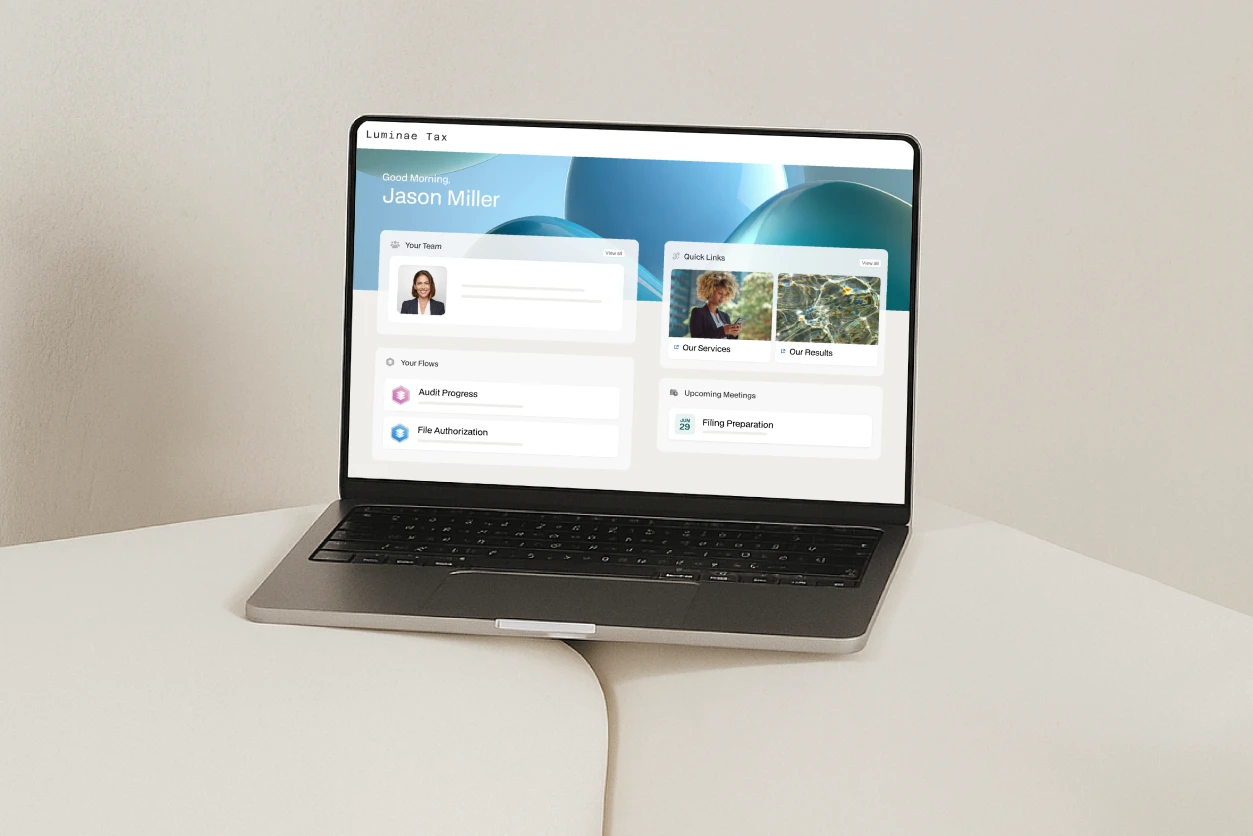
An insurance client portal is a secure online space where clients can log in to view their policies, submit claims, share documents, and communicate with their broker or insurer. But modern portals go beyond being document storage systems.
They operate as digital branches that never close. Clients can self-serve simple requests, such as downloading policy documents or checking claim status, while brokers monitor all activity across accounts without juggling multiple channels. For insurers, portals scale service delivery while cutting manual administration.
Insurance portals typically serve three groups. Policyholder portals let customers view coverage, file claims, and manage documents. Broker or agent portals give producers a workspace for their book of business. Employer or group portals let benefits administrators manage enrollments and plan changes for employees.
Industry spotlight: brokers vs insurers
Portals are no longer optional. They directly influence efficiency, client retention, and profitability.
For brokers
For brokers, portals reduce time spent on manual administration and free them to focus on advisory work. Renewals, commissions, and client updates can all be tracked in one place.
Less back-and-forth: Centralizing renewals, commissions, and policy updates cuts manual exchanges with clients.
Renewal reminders: Automated reminders for expiring policies keep anything from slipping through the cracks.
A stronger advisory role: A polished, branded portal raises your profile with clients and builds long-term trust.
For insurers
For insurers, portals speed up claims cycles, improve policyholder satisfaction, and support compliance requirements. Our guide to FNOL workflow intake and triage covers that first notice step.
Faster claims: Clients submit and track claims directly in the portal.
Compliance support: Audit trails, encryption, and role-based permissions keep records complete and secure. The same controls are walked through in our secure client portal workflow guide.
Service at scale: Portals cut admin work, so service can grow without matching growth in headcount.
With portals designed for both perspectives, brokers gain efficiency and stronger relationships, while insurers achieve compliance, faster turnaround, and higher client retention.
Essential features of modern insurance client portal software
Not all portals are created equal. A strong insurance client portal offers more than simple login access. Below are the features that matter most.
Self-service dashboards
Clients should be able to renew policies, check balances, and track claims independently. This reduces service load and gives policyholders transparency.
Claims intake and status
Policyholders should be able to start a claim in the portal, upload photos or documents, and check status without calling the carrier. The intake form should capture the same details an adjuster would ask for, then show the next step so the client is not left waiting.
Policy servicing
Clients should be able to request endorsements, update coverage, and complete renewals in the same place they view their policy. The request should stay visible until it is approved, so both sides can see what is still open.
Secure document exchange and e-signatures
Portals make collecting, storing, and signing forms simple. With built-in audit trails, insurers improve compliance and reduce turnaround times. Our document portal guide covers that file-exchange layer in more detail.
Look for multi-factor authentication on client logins, so a stolen password alone cannot open a policy file.
Real-time communication
Messaging, alerts, and reminders keep all parties aligned. For example, a client receives an instant portal notification to review and sign. Our list of the best customer and client communication tools compares how teams keep that conversation in one place.
Broker and agent visibility
Brokers benefit from dashboards that track renewals, leads, and commissions. With better visibility, they spend less time reconciling across systems.
Integrations with core systems
For brokers and agents, integration starts with the agency management system, plus CRMs, billing systems, and underwriting platforms. A portal adds the most value when it connects to existing CRMs, billing systems, and underwriting platforms. This removes data silos and keeps records consistent.
Together, these features give clients and providers faster, clearer, and more secure workflows.
Industry challenges and how portals solve them
Insurance providers face unique challenges that portals directly address.
Manual paperwork: Paper steps delay approvals and add compliance risk. Portals digitize them.
Siloed processes: Separate claims, underwriting, and servicing tools create inefficiency. Portals unify the journey.
Rising expectations: Clients expect the digital-first speed they get from other industries. Portals deliver that convenience.
Compliance pressure: Portals with audit trails and role-based permissions keep records complete and secure.
Where client portals fit in the broader insurance tech stack
Client portals make your core insurance systems easier to use. Think of the portal as the client-facing layer that brings together data and functionality from your CRM, policy admin, and claims platforms into one consistent experience.
CRM systems: Manage leads and ongoing relationships.
Policy administration systems: Handle internal workflows and policy lifecycle management.
Claims systems: Process submissions, settlements, and reporting.
The portal sits on top of all this, acting as a single point of interaction for both clients and brokers. It simplifies document exchange, approvals, and real-time communication, while keeping data synced across all systems in the background.
This is where the return shows up. Your team stops juggling logins and siloed tools and works faster, and clients enjoy a more unified, transparent experience.
Comparing traditional portals vs intelligent portals
| Feature | Traditional portal | Intelligent portal |
|---|---|---|
| File storage | Static document upload | Dynamic workflows with approvals and e-signatures |
| Communication | Basic messaging | Contextual chat tied to each process |
| Client experience | Generic login page | Branded, guided client journey |
| Workflow automation | Minimal | Automated triggers, reminders, and templates |
| AI support | None | AI agents for reviews, reminders, and insights |
This shift shows why modern brokers and insurers need to look beyond static portals toward platforms that actively guide client workflows. Our guide to digital workflow automation explains that guided-process model.
How Moxo supports brokers and insurers
Insurance client portal software earns its keep when the work behind the portal moves as fast as the client clicks. Moxo gets there through human-AI orchestration: brokers, carriers, and their business operations teams run onboarding, renewals, and claims intake as governed processes, with the client portal as the policyholder's front door.
Self-learning AI agents validate forms, spot missing fields, and remind clients about expiring policies. Account managers and claims handlers make the coverage and approval decisions, with escalation rules when a case stalls.
Clients and outside parties, such as adjusters or repair vendors, upload documents and approve tasks from a magic link. Workflows connect to your CRM, billing, and policy administration systems, so records stay in sync. Moxo's financial services workflows and its integrations page show how those connections are set up. Forward-deployed engineers help map your first renewal or claims process with your team. Moxo's security page lists SOC 2 Type II plus SOC 3 certification, along with encryption for stored and moving data.
Who it isn't for: Agencies that only need a static place to post policy PDFs.
See how a renewal or a first notice of loss would run in your own branded portal. Book a demo
A day in the life: portals in action
Consider a broker onboarding a new client. Without a portal, the process is clunky: multiple email threads, delayed attachments, missed calls, and endless follow-ups. It's inefficient for the broker and frustrating for the client.
With a client portal, the experience changes. The client uploads documents securely through a personalized portal link. The broker gets notified instantly, reviews the submission, and approves it within minutes. The case is then routed to underwriting, with no extra manual steps.
Meanwhile, the client can track status updates in real time, removing the need to call or email for progress reports.
The result is a better relationship. The client sees the broker as a responsive, modern, and professional partner, and that perception drives long-term trust and retention.
Where insurance portals go next
Insurance client portals have become essential. Policyholders now expect real-time updates, secure document exchange, and fast approvals, and email chains or static portals cannot keep up with that pace.
The next step is portals that do more than display information. They route each claim, renewal, and document request to the right person, nudge policyholders for anything outstanding, and show everyone where things stand. With Moxo, brokers get more time for advice, and each claim carries a clear record of every approval.
Pick one client process, such as a renewal, and run it through a trial portal to see where the waiting stops. Request free trial
FAQs
What does insurance client portal software do?
It provides a secure, central workspace where clients, brokers, and insurers manage policies, upload documents, track claims, and communicate. Everything happens in one branded, compliant interface, so each party can see what is pending and act on it without chasing anyone.
How does it help brokers?
It reduces manual coordination by automating workflows, simplifying document collection, and consolidating client interactions in one place. Renewal reminders and status tracking run in the background. That frees brokers to spend more time on advisory work and relationship building, and less on administrative tasks.
Can clients manage claims through a portal?
Yes. Clients can submit claims, upload supporting documents, receive real-time updates, and message their broker directly from a mobile-friendly, self-service portal. Claims teams see the same record, so fewer status calls come in and missing documents are flagged before they slow the claim down.
Is integration with existing systems possible?
Yes. Most modern portals connect to CRMs, billing systems, and policy administration platforms. Moxo connects to them through native CRM integrations, APIs, and webhooks, so client data stays in sync across tools without duplicate entry. Ask any vendor which systems it connects to out of the box and which need custom work.
How secure are insurance portals?
It depends on the vendor, so ask for proof. Look for SOC 2 Type II certification, encryption, role-based access controls, and detailed audit trails for every interaction. Moxo is SOC 2 Type II and SOC 3 certified, encrypts data in transit and at rest, and supports GDPR compliance.
What should a secure insurance customer portal include?
A secure insurance portal should protect files while they move and while they sit, limit access by role, require a second check at login, and keep a trail of each action. It should also keep policy documents, claims, and renewals in one place, so clients do not fall back on email for sensitive files.