Controller
FP&A manager
Budget owner
Finance director
Department head
Chief financial officer

This process is used when budget needs to move between organizational units during the fiscal period. It is triggered when one department has excess budget while another faces a shortfall, when project responsibilities shift between teams, when organizational restructuring reassigns cost ownership, or when strategic priorities require resource reallocation across business units. The process becomes essential when transfers cross departmental boundaries requiring multi-party agreement, when transfer amounts exceed individual manager authority, or when audit requirements demand documentation of inter-departmental fund movements. Ideal for matrix organizations with shared resources, enterprises with multiple business units, project-based organizations where work shifts between teams, and any company where budget flexibility requires controlled inter-departmental transfers.
This process typically involves the sending budget owner who releases funds from their allocation, the receiving budget owner who accepts the transferred budget and associated spending responsibility, finance analysts who validate the transfer structure and update financial records, approval authorities who authorize transfers based on amount thresholds, and controllers or CFOs who approve significant transfers or those affecting multiple business units. In some organizations, shared services or corporate finance teams coordinate transfers that involve central budgets or overhead allocations.
Confirmed bilateral agreement ensuring both sending and receiving parties explicitly approve the transfer. Preserved budget integrity with total organizational budget unchanged by properly balanced transfers. Clear accountability transition documenting when spending responsibility shifts from one owner to another. Accurate financial records with transfers properly recorded to maintain variance reporting integrity. Audit-ready documentation tracking who initiated, agreed to, and authorized each inter-departmental transfer.
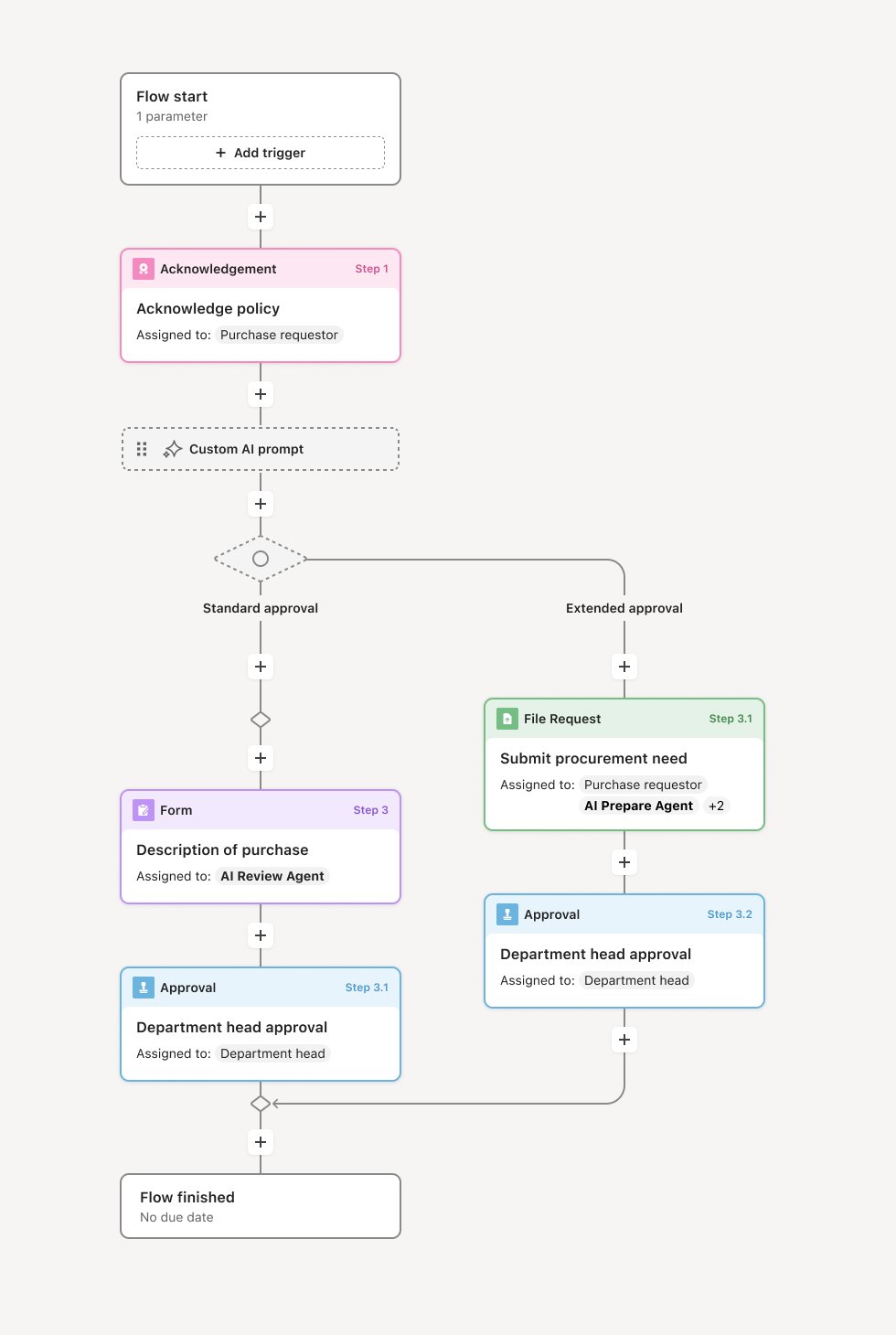
Your version of this process may vary based on roles, systems, data, and approval paths. Moxo's flow builder can be configured with AI agents, conditional branching, dynamic data references, and sophisticated logic to match how your organization runs this workflow. The steps below illustrate one example.
Transfer request initiation
The process begins when a budget owner initiates a transfer request, either as the sender releasing funds or as a receiver requesting funds from another department. The request specifies the sending cost center and account, receiving cost center and account, transfer amount, effective date, and business justification explaining why the transfer is needed. Supporting context may include project reassignments, organizational changes, or strategic decisions driving the reallocation. An AI agent can assist by validating that the sending account has sufficient available budget and that the request structure is complete.
Counterparty acknowledgment
The budget owner on the other side of the transfer reviews and acknowledges the request. If the initiator is releasing funds, the receiving budget owner confirms acceptance of the budget and associated spending responsibility. If the initiator is requesting funds, the sending budget owner confirms willingness to release the allocation. This bilateral acknowledgment ensures both parties understand and agree to the transfer before it proceeds. If the counterparty declines or requests modifications, the workflow returns to the initiator for revision or withdrawal.
Finance validation
Finance reviews the transfer for structural validity and policy compliance. This includes confirming that the transfer is properly coded, that it does not violate budget policies or funding restrictions, that the sending account truly has available budget to transfer, and that the receiving account can appropriately accept the funds. Finance also verifies that the transfer will be properly recorded to maintain accurate variance reporting. If issues exist, finance returns the request for correction before advancing to approval.
Authority-based approval
Transfers are routed to appropriate approval authorities based on amount and organizational scope. Smaller transfers within the same division may require only divisional leadership approval. Larger transfers or those crossing major organizational boundaries may require VP, CFO, or executive committee authorization. The workflow routes dynamically based on configured thresholds and organizational hierarchy, ensuring appropriate oversight without unnecessary escalation for routine transfers between closely related teams.
Execution and record update
Once all required approvals are obtained, the transfer is executed. Financial systems are updated to reduce the sending cost center's budget and increase the receiving cost center's allocation by the transfer amount. Both budget owners receive confirmation of their updated spending authority. The workflow records the complete approval chain, bilateral acknowledgments, and business justification. Historical budget data is adjusted to reflect the transfer for accurate variance analysis going forward.
This process commonly relies on inputs such as current budget allocations by cost center, transfer request forms specifying accounts and amounts, organizational hierarchy defining approval authorities, and policy parameters governing transfer restrictions. It may be triggered by events like a project reassignment, an organizational restructuring, a strategic resource reallocation decision, or a department request to address budget shortfall. Common systems that integrate with this workflow include ERP platforms like SAP or Oracle, financial planning tools like Anaplan or Adaptive Insights, and HR systems where organizational hierarchy is maintained.
Key decision points include determining whether the sending cost center has sufficient budget to transfer, whether the receiving budget owner accepts the funds and associated responsibility, whether the transfer complies with policy and funding restrictions, and whether the transfer amount requires elevated approval authority. Each decision point may trigger counterparty negotiation, requests for revised amounts, escalation to senior leadership, or return to the initiator for additional justification.
Unilateral transfers where budget is moved without genuine agreement from the affected counterparty. Insufficient source budget when transfers are requested from accounts that lack available funds to release. Recording delays where approved transfers are not promptly updated in financial systems, causing reporting errors. Policy violations when transfers circumvent funding restrictions or move money between incompatible account types. Missing accountability handoff where spending responsibility does not clearly transfer with the budget allocation.
Orchestrates bilateral coordination bringing both sending and receiving budget owners into the workflow to ensure genuine agreement before transfers proceed.
Routes transfers dynamically based on amount and organizational scope so routine transfers move quickly while significant reallocations receive appropriate oversight.
AI agents validate budget availability at submission, confirming source funds exist and flagging potential policy issues before human review.
Connects to ERP and planning systems so current budget data flows in automatically and approved transfers can update financial records directly.
Maintains complete transfer records with timestamps, bilateral acknowledgments, approver identities, and business justification for audit and reporting.
Tracks accountability transitions documenting when spending responsibility shifts so budget ownership remains clear throughout the fiscal period.