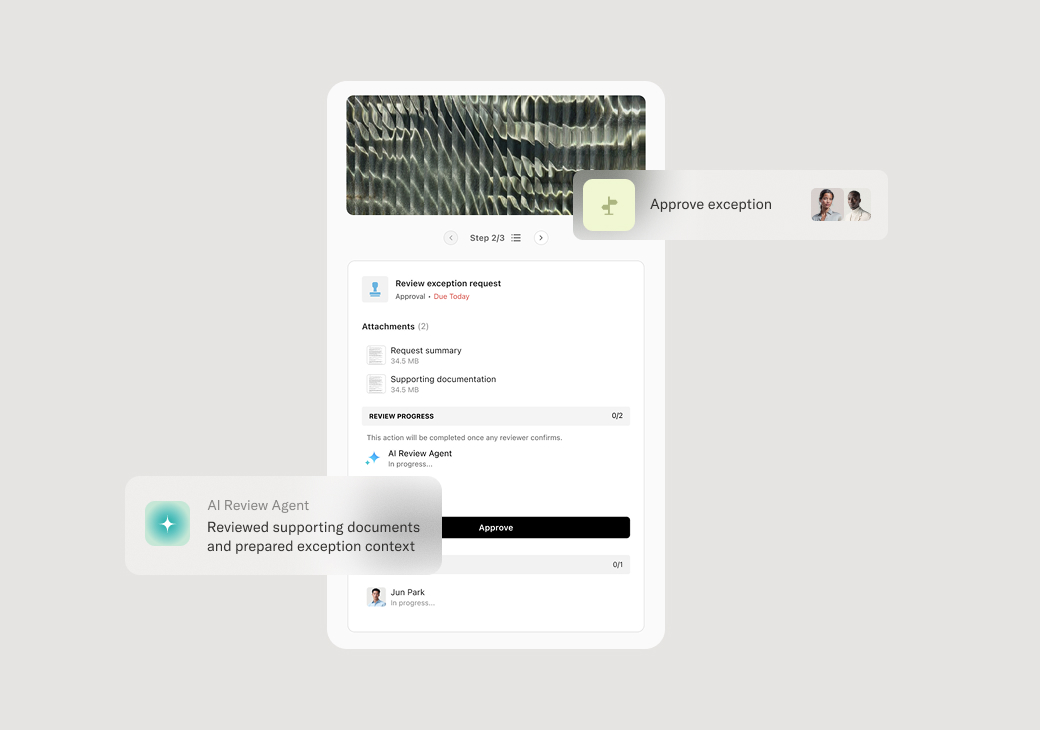
This process is triggered when check payments exceed predefined authorization limits, require multiple approvals, or involve high-risk vendors or unusual payment terms. It becomes essential when organizations need to maintain financial controls while processing payments efficiently across multiple approval levels. The process is particularly critical for companies managing significant cash flow, regulatory compliance requirements, or complex vendor relationships where payment authorization must be documented and auditable.
Finance teams initiate and coordinate the approval process, while department managers and executives provide authorization based on spending limits and business context. External stakeholders such as vendors may need to provide additional documentation, and treasury teams often handle final payment execution once approvals are secured.
Faster payment cycles as requests move through approval hierarchies without manual tracking. Reduced payment delays from incomplete documentation caught before review begins. Consistent enforcement of authorization limits across all payment requests regardless of urgency. Clear audit trail showing who approved what amounts and when decisions were made. Fewer emergency payment situations from proactive exception handling and escalation triggers.
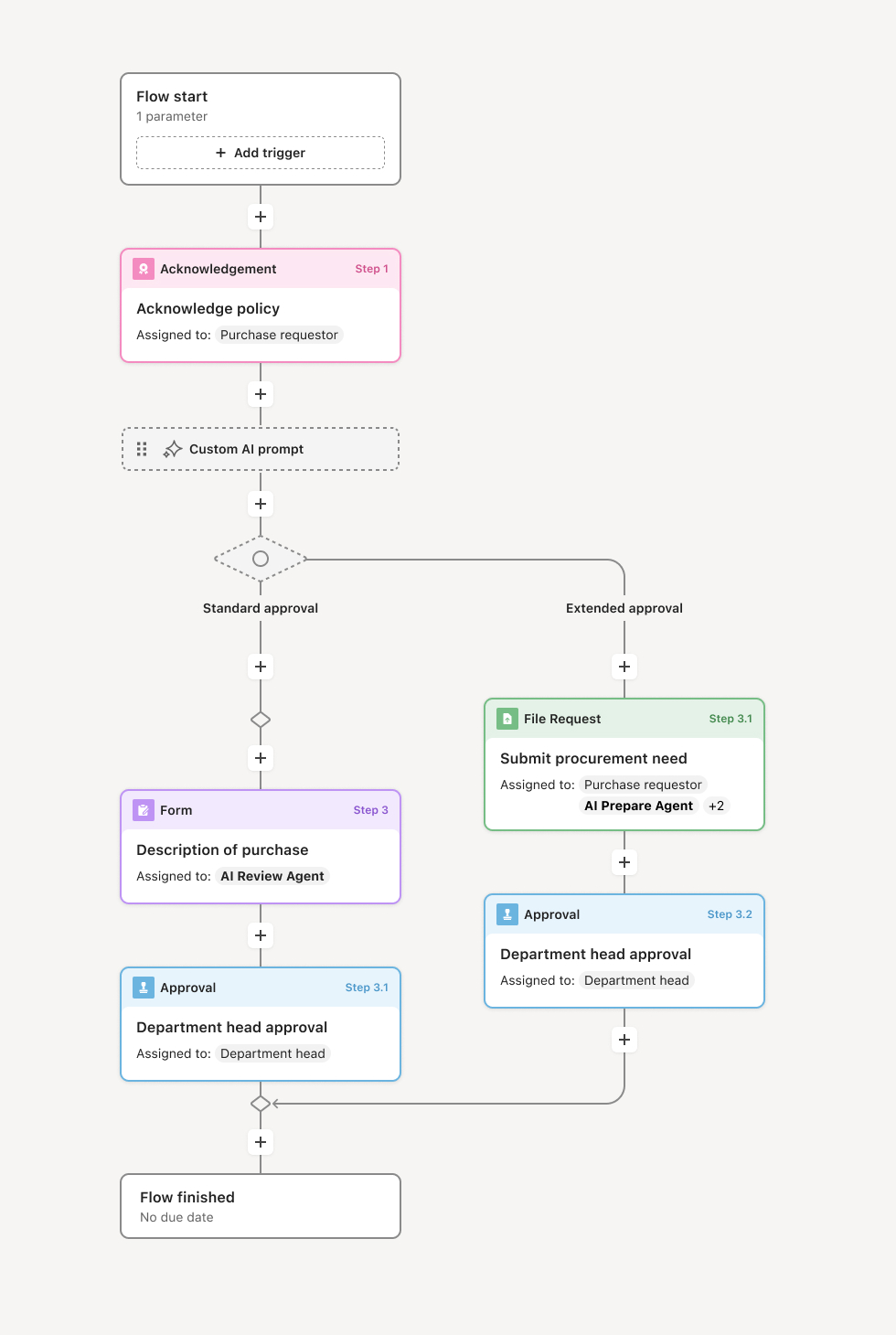
Your version of this process may vary based on roles, systems, data, and approval paths. Moxo's flow builder can be configured with AI agents, conditional branching, dynamic data references, and sophisticated logic to match how your organization runs this workflow. The steps below illustrate one example.
Payment request initiation
The process begins when a payment request is submitted, typically through an expense system or direct request form. AI agents immediately validate that required fields are complete, supporting documentation is attached, and vendor information matches approved supplier records. The request is automatically routed based on payment amount, department budget, and configured approval thresholds.
Documentation review and validation
Finance teams review the payment request for accuracy, proper coding, and compliance with company policies. AI agents flag potential issues such as duplicate payments, unusual amounts, or missing purchase orders. If documentation is incomplete or requires clarification, the request is returned to the originator with specific guidance on what additional information is needed.
Approval routing and authorization
Based on payment amount and type, the request routes to appropriate approvers following established authorization matrices. If the payment exceeds a manager's approval limit, it automatically escalates to the next level. AI agents prepare approval packages with relevant context, including vendor history, budget impact, and any flagged exceptions that require attention.
Multi-level approval coordination
For high-value payments requiring multiple approvals, the process coordinates parallel or sequential review depending on organizational policy. Each approver receives the complete context needed to make informed decisions, including previous approval comments and any risk factors identified. If approvers are unavailable, escalation triggers ensure payments don't stall while maintaining proper authorization.
Exception handling and escalation
When payments fall outside normal parameters—unusual amounts, new vendors, or urgent timing—the process triggers specialized review paths. Risk assessment may be required, additional documentation requested, or executive approval sought. AI agents monitor these exceptions to ensure they receive appropriate attention and don't create bottlenecks.
Final authorization and payment preparation
Once all required approvals are secured, the payment moves to treasury or accounts payable for execution. Final validation ensures all approvals are properly documented, payment details are accurate, and any special instructions are captured. The approved payment request is then processed according to the organization's payment schedule and methods.
Confirmation and record keeping
After payment execution, all stakeholders receive confirmation that the payment has been processed. The complete approval trail, supporting documentation, and payment details are retained for audit purposes and future reference. Any exceptions or special circumstances are documented for process improvement and future similar requests.
This process typically pulls vendor data from ERP systems (NetSuite, SAP, Oracle Financials), budget information from financial planning platforms, and purchase order details from procurement systems. It is triggered when payment requests are submitted through expense management systems, when invoices are received for processing, or when urgent payment needs arise. Key inputs include vendor invoices, purchase orders, budget codes, approval matrices, and supporting documentation such as contracts or delivery receipts.
Key decision points include determining whether payment amounts exceed approval thresholds requiring escalation, whether vendor relationships and payment terms meet company standards, and whether exceptions warrant additional risk review or executive approval. The process must also decide if payments can proceed through standard channels or require expedited handling due to business urgency.
Approvals stalled in email queues when approvers are unavailable or overwhelmed with requests. Incomplete documentation causing repeated back-and-forth between finance and requestors. Authorization limits unclear or outdated, leading to confusion over who can approve specific payment amounts. Payment urgency not properly communicated, causing business disruption from delayed vendor payments. Exception handling inconsistent, with similar situations receiving different treatment based on who handles them.
AI agents validate payment requests against vendor records and flag potential duplicates or policy violations before human review begins.
Dynamic approval routing ensures payments automatically escalate to appropriate authorization levels based on amount thresholds and organizational hierarchy.
External vendors can submit additional documentation directly in the flow when clarification is needed, eliminating email exchanges.
Parallel approval paths allow multiple stakeholders to review simultaneously when business rules permit, reducing overall cycle time.
Integration with ERP and financial systems ensures payment data flows seamlessly from approval to execution without manual re-entry.
Escalation triggers surface stalled approvals before they impact vendor relationships or business operations.