Project manager
Engagement manager
Finance manager
Accounts payable lead
Operations manager
Procurement manager

This process is used on a regular cadence, typically weekly or bi-weekly, when contractors submit time worked for payment. It applies whenever external workers bill based on hours, including consultants, freelancers, temporary staff, or professional services providers. Contractor timesheet approval is common in professional services, technology, construction, creative agencies, and any organization that engages hourly or time-based contractors.
Participants typically include the contractor who submits the timesheet, the project manager or engagement lead who validates hours against project work, the finance or accounts payable team who verifies rates and budget alignment, and potentially the contractor's agency or employer if working through a staffing arrangement. For high-value contractors or disputed timesheets, senior management may be involved.
Accurate contractor payments with verification that hours and rates match agreed terms before payment. Project cost visibility by validating time allocation across projects and budgets. Reduced billing disputes through structured approval that catches discrepancies before payment. Budget control by identifying when contractor spend approaches or exceeds allocated amounts. Clear approval records documenting who validated what for audit and contractor management purposes.
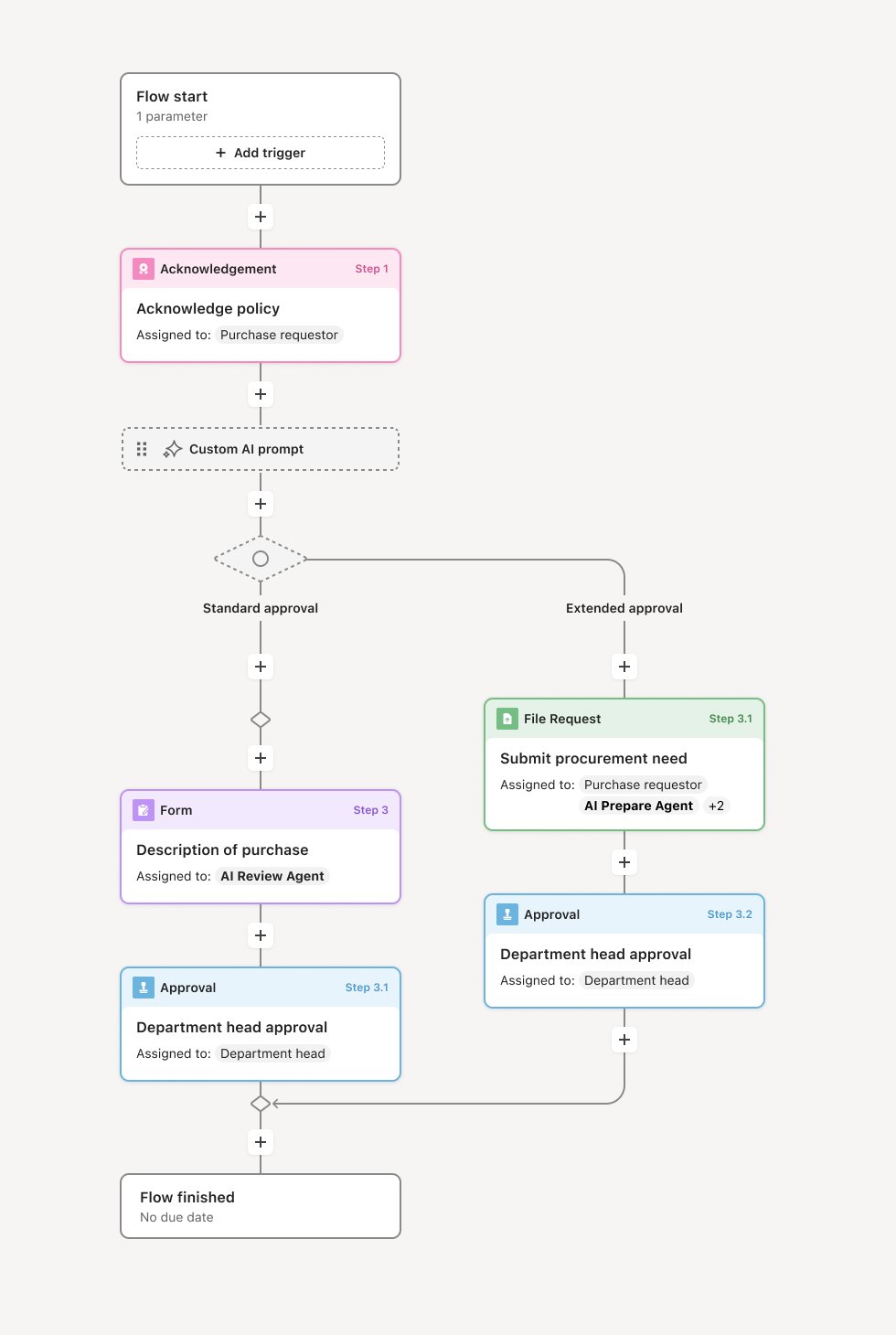
Your version of this process may vary based on roles, systems, data, and approval paths. Moxo's flow builder can be configured with AI agents, conditional branching, dynamic data references, and sophisticated logic to match how your organization runs this workflow. The steps below illustrate one example.
Timesheet submission
The process begins when a contractor submits their timesheet for the period, including hours worked, project or task allocation, and any notes or descriptions of work performed. An AI agent may assist by validating that required fields are complete, checking for anomalies such as excessive hours or unusual patterns, and flagging submissions that exceed budget thresholds.
Project manager review
The project manager or engagement lead reviews the submitted hours against expected work, project plans, and their knowledge of the contractor's activities. The reviewer validates that hours are reasonable, properly allocated to projects or tasks, and consistent with deliverables produced. If discrepancies exist, the reviewer requests clarification from the contractor.
Rate and budget validation
Finance or the designated budget owner verifies that billed rates match contract terms and that the timesheet amount aligns with remaining budget. If the submission would cause budget overruns, the approver is notified and may need to authorize additional spend or adjust allocations. AI agents may assist by comparing rates against contract records and calculating budget impact.
Approval and authorization
Once validation is complete, the timesheet is approved for payment. If multiple approvers are required based on amount thresholds or organizational policy, the workflow routes through the appropriate approval chain. Rejected timesheets are returned to the contractor with specific feedback for correction.
Payment processing and record
Approved timesheets are routed to accounts payable for payment processing according to payment terms. The approval record is maintained with the timesheet, approver identities, and timestamps. Project cost records are updated to reflect the approved hours and amounts.
This process commonly relies on inputs such as submitted timesheets, contract rate cards, project budgets, and prior period submissions for comparison. It may be triggered by calendar-based submission deadlines or contractor submissions through time tracking systems. Supporting systems might include time tracking platforms, project management tools, ERP systems like NetSuite or SAP, and accounts payable systems.
Key decision points include determining whether submitted hours are accurate and properly allocated, whether rates match contract terms, whether budget can accommodate the submission, and whether any anomalies warrant investigation before approval. If timesheets exceed thresholds or budgets, the workflow branches to additional approval or budget adjustment processes.
Rubber-stamp approvals when timesheets are approved without meaningful validation of hours and allocation. Delayed reviews that push payment past contractor terms and damage working relationships. Rate discrepancies when approved timesheets use incorrect rates, causing payment errors. Budget surprises when cumulative contractor spend exceeds expectations due to insufficient tracking.
Structures timesheet submissions so contractors provide complete information including hours, allocation, and work descriptions.
Routes reviews to appropriate project owners based on contractor assignment or project allocation.
AI agents assist with validation by checking for anomalies, verifying rates, and calculating budget impact.
Tracks submission and approval deadlines with automated reminders to ensure timely processing.
Maintains approval records documenting validation and authorization for audit and contractor management.
Integrates with time tracking and ERP systems to streamline data flow and payment processing.