HR manager
Team lead
Department head
Operations manager
Payroll coordinator
Workforce planning lead

This process is used when an employee submits a request for planned time off, including vacation, personal days, or other leave categories that require managerial approval. It is triggered when an employee submits a leave request through the organization’s system, when the requested dates conflict with team coverage requirements, or when the leave type requires HR validation such as extended leave or policy-exception requests. It applies when the organization needs to balance employee flexibility with operational coverage and policy compliance. This process is common across organizations of all sizes that manage scheduled time off with formal approval workflows.
The leave approval process typically involves the employee who submits the request, the direct manager who evaluates the request against team coverage and workload, HR staff who validate accrual balances, policy compliance, and leave category eligibility, and in some cases senior managers who handle extended leave requests or coverage exceptions.
Reliable team coverage because leave requests are evaluated against scheduling and workload before approval. Faster request resolution by routing requests directly to the manager with balance and coverage data already assembled. Policy consistency with every request validated against accrual balances, blackout dates, and leave category rules. Reduced scheduling conflicts because overlapping requests are flagged before approval rather than discovered after the fact. Clear absence records with documented approval decisions that flow into payroll and workforce planning systems.
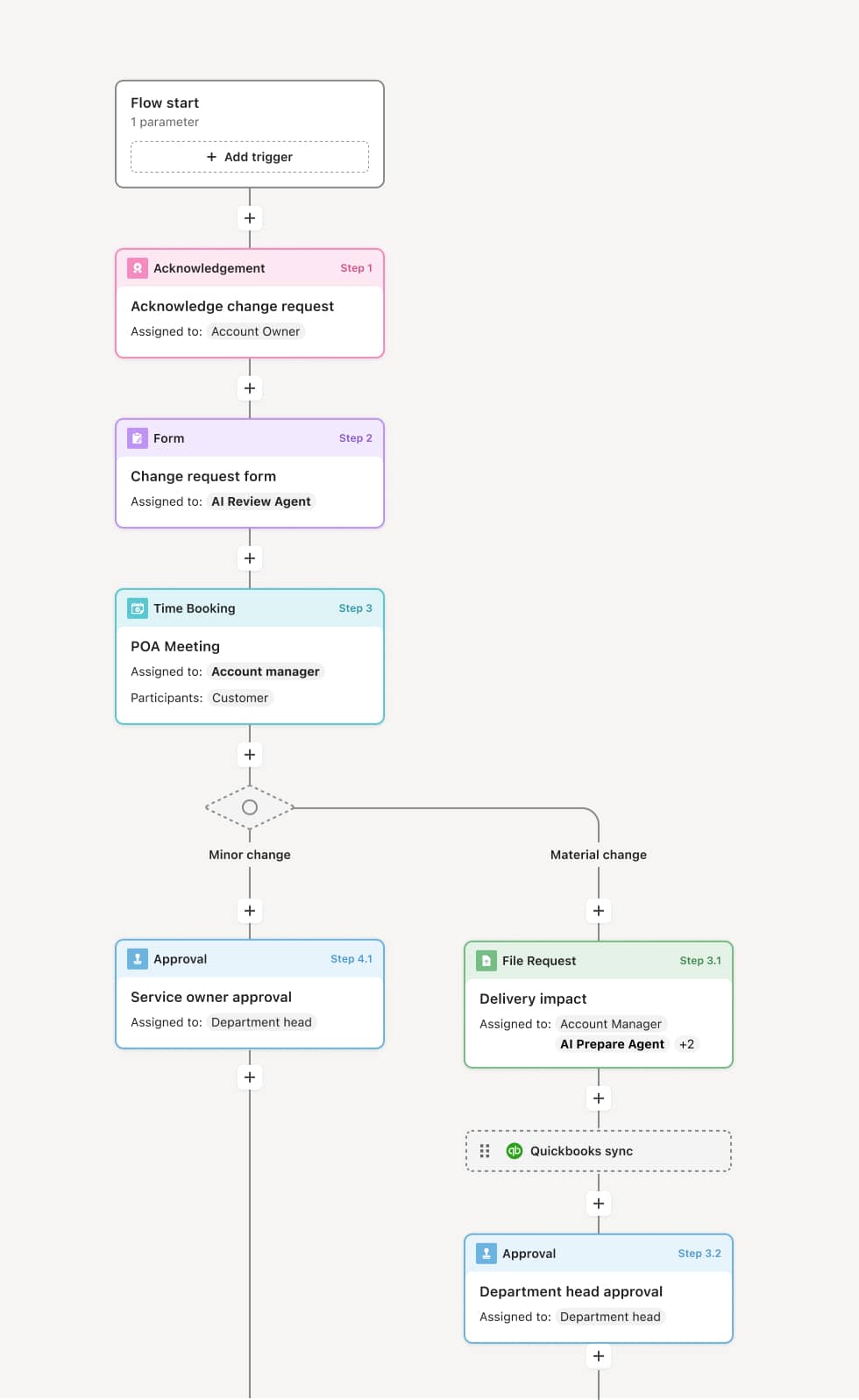
Your version of this process may vary based on roles, systems, data, and approval paths. Moxo’s flow builder can be configured with AI agents, conditional branching, dynamic data references, and sophisticated logic to match how your organization runs this workflow. The steps below illustrate one example.
Leave request submission
The process begins when an employee submits a time-off request specifying the leave type, dates, and any relevant notes. An AI Agent may validate the request against the employee’s accrual balance, check for blackout dates, and flag any policy constraints before the request reaches the manager.
Coverage and conflict assessment
The manager receives the request along with context such as the employee’s remaining balance, any overlapping team requests, and the impact on scheduled work or project deadlines. The AI Agent may compile a team availability summary highlighting potential coverage gaps. If the request creates a conflict, the manager may discuss alternatives with the employee before making a decision.
Manager approval or modification
The manager reviews the request in context and either approves, suggests alternative dates, or denies the request with an explanation. For standard requests that fall within policy and do not create coverage issues, the approval may be straightforward. For requests during peak periods, extended durations, or when multiple team members have overlapping requests, the manager applies judgment to balance business needs with employee needs.
HR validation (if applicable)
For certain leave types—such as extended leave, policy exceptions, or categories that require HR involvement—the request routes to HR for additional validation. HR confirms eligibility, reviews any documentation requirements, and ensures the leave is properly classified for payroll and compliance purposes.
Confirmation and system update
Once approved, the leave is confirmed to the employee, and the absence data flows to connected systems for calendar updates, payroll adjustments, and workforce planning. The complete record, including the request, approval decision, and any coverage notes, is stored for HR reporting and attendance management.
This process commonly relies on inputs such as leave requests, accrual balance data, team schedules, project timelines, and organizational leave policies. It may be triggered by an employee form submission, a calendar-based request, or an HRIS workflow. Systems commonly connected include HRIS platforms like Workday or BambooHR for accrual data and leave policies, scheduling systems for team coverage visibility, and payroll systems for absence tracking.
Key decision points include whether the employee has sufficient accrual balance, whether the requested dates create team coverage gaps, whether the leave type requires HR involvement or documentation, and whether overlapping team requests require prioritization. If the request is denied or modified, the employee receives specific feedback on the reason and any alternative options.
Leave requests approved without checking team coverage, creating operational gaps that are discovered too late. Accrual balances not validated, leading to approved leave that exceeds the employee’s available balance. Overlapping requests not flagged, resulting in multiple team members absent simultaneously. Extended leave requests handled informally, bypassing HR validation and compliance documentation. Approved leave not synced to payroll, causing pay discrepancies.
AI Agents validate leave requests against accrual balances, blackout dates, and policy rules at submission, ensuring the manager receives only eligible requests.
Provides managers with team coverage context including overlapping requests and scheduling conflicts, supporting informed approval decisions.
Routes specialized leave types to HR for additional validation and compliance review when the leave category requires it.
Connects approved leave to HRIS and payroll systems like Workday or BambooHR for automatic calendar and pay updates.
Maintains a documented leave approval record for every request, supporting attendance tracking, workforce planning, and HR reporting.