


%20(1).webp)
Table of Contents
Every list of customer communication tools assumes the same thing: communication is a channel problem. Pick the right inbox, the right chat widget, the right SMS number, and the conversations will take care of themselves. Then you watch where the actual conversations come from and a different picture shows up. Most customer communication is about a process: where's my application, what do you need from me, who approved this, what happens next. The channel was never the problem. The process being invisible was.
That's the lens for this list. Moxo takes the #1 spot because it's the only platform here where communication lives inside the process it's about, with AI agents and humans working the same conversation. The other nine are excellent at what they do, and we say plainly what that is. At Moxo we run our own onboarding, renewals, and support communication this way daily, so this is the category we know from the inside.
Prices and ratings below are current as of August 2026.
Key takeaways
Customer communication split into two problems. Resolving inbound questions (support desks, shared inboxes) and running the processes that generate those questions (workflow platforms with communication built in). Buying a tool for the first problem doesn't touch the second.
AI agents changed the category in 2026. Every serious platform now ships an AI layer: Intercom's Fin resolves tickets, Zendesk drafts replies, and process-centric platforms like Moxo put a concierge agent inside the workflow itself. The question is no longer whether AI answers your customers, but whether it knows enough context to answer well.
The most expensive communication is the message that didn't need to exist. Status-check emails, chase messages, "did you get my file" pings. Platforms that make the process visible eliminate the ticket rather than resolving it faster.
What is a customer communication platform?
A customer communication platform is software that centralizes how a business talks with its customers across channels: email, chat, SMS, portal, and phone, so conversations are visible to the team, routed to the right person, and recorded in one place. The best ones now add an AI layer that answers routine questions and drafts responses, with humans handling the conversations that carry judgment or relationship weight.
The four kinds of customer communication platforms
Support desks: Intercom, Zendesk, Help Scout, HubSpot Service Hub. Inbound question resolution at scale: tickets, help centers, AI answers. Buy one when volume is the problem.
Shared inboxes: Front, Missive. Team email done right: assignments, internal comments, shared visibility. Buy one when email chaos is the problem.
Channel-first tools: Podium (SMS for local business), Slack (B2B channels), Twilio (build your own on programmable APIs). Buy one when a specific channel is the problem.
Process-centric platforms: Moxo. Communication attached to the workflow it's about: onboarding, applications, renewals, claims. Buy one when the questions customers ask are really questions about a process.
How we evaluated
Context. Does the platform know what the customer is in the middle of, or does every conversation start from zero?
AI capability. Can AI resolve and prepare communication, and does it know when to hand off to a person?
External-party experience. What does the customer actually see: a branded surface, a login wall, an email thread?
Channel coverage. Email, chat, SMS, portal, integrations with where your team works.
Governance. Who said what, who approved what, and can you prove it later.
| Tool | Best for | Starting price (Aug 2026) |
|---|---|---|
| Moxo | AI workflow automation for customer operations | Trial on request; team + enterprise plans |
| Intercom | AI-first support at scale | $29/seat/mo + $0.99 per Fin resolution |
| Zendesk | Omnichannel support suites | Support from $19/agent/mo; Suite from $55 |
| Front | Shared inbox for teams living in email | From about $25/seat/mo |
| Help Scout | Straightforward support for small teams | From $55/mo flat |
| HubSpot Service Hub | Support attached to your CRM | Free tools; paid from $20/seat/mo |
| Slack | B2B customer channels | Free; paid from about $7.25/user/mo |
| Podium | SMS-first local business communication | From $399/mo (annual) |
| Missive | Small-team shared inbox on a budget | Free plan; from $18/user/mo |
| Twilio | Building custom communication | Usage-based |
1. Moxo: best for running customer communication inside the process
What it is. An AI workflow automation platform for customer operations, where the communication layer is built into the workflow itself. Where support desks manage conversations about your processes, Moxo runs the process and carries the conversation with it: onboarding, applications, renewals, claims, engagements, each one a flow with steps, deadlines, human roles, and AI agents.
How it works. Every flow carries its own conversation. Messages anchor to the step they're about, so feedback on a document lands on the document, not in a disconnected inbox thread. Mentions target a person, a role, or the whole channel. And the thread is shared by everyone in the process: your team, the customer, and the AI agents working alongside both.
The AI concierge agent. Moxo's concierge agent lives in the flow's chat as a participant. Because it sits inside the workflow, it knows the full state of the process: which step the customer is on, what's been submitted, what's missing, what happens next. A customer asking "what do you still need from me?" at 11pm gets an accurate answer in seconds, not a ticket number. The concierge guides people through their steps, answers questions about the process with real context, and when something exceeds its scope, it escalates to the right person on your team with the context already assembled. And concierges are trainable, plural: teams build multiple, each with its own knowledge and skills, matched to the people it serves. The concierge guiding a borrower through a loan application is a different specialist from the one walking a new vendor through compliance paperwork. Every exchange lands in the flow's record.
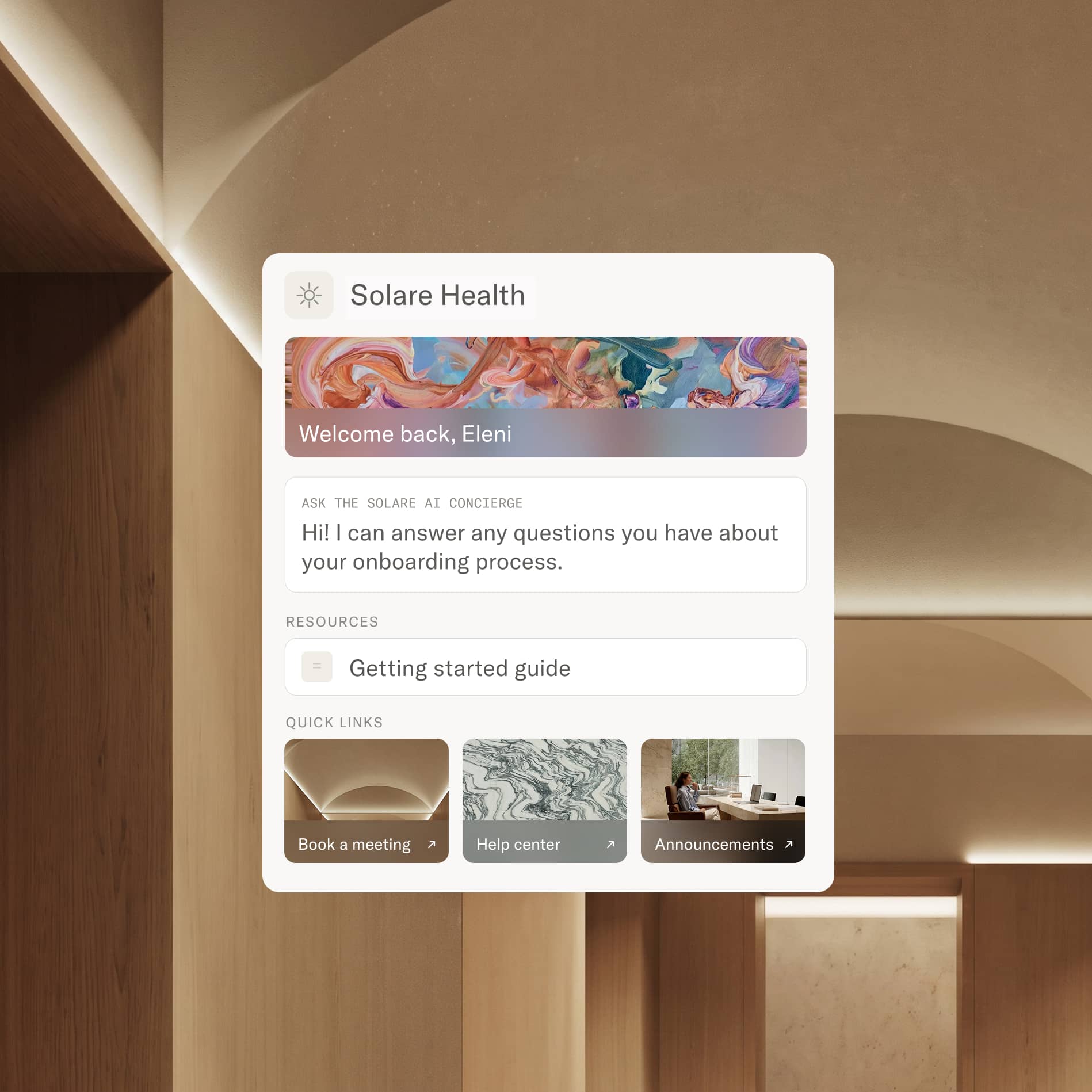
Agents and humans, one thread. The concierge isn't the only agent in the conversation. Agents built in Agent Foundry (or brought in from outside; Moxo is bring-your-own-agent) prepare work, review submissions, and chase overdue items, while your team handles the moments that carry weight: the pricing question, the exception, the relationship call. Customers experience one continuous conversation; behind it, the labor is divided.
Reaching customers where they are. Notifications go out on each participant's preferred channel, email or SMS, bundled so nobody gets ten pings for one process. Magic links land customers directly on their task with no account creation and no app download, inside a fully branded experience. Slack and Teams integrations keep your internal team in their own tools.
Best for. Businesses whose customer communication wraps a consequential process: financial services onboarding, professional service engagements, claims and applications, vendor and partner management.
Pricing. Team and enterprise plans, with trials on request; current tiers at moxo.com/pricing. G2 rating: 4.5 (194 reviews) as of August 12, 2026.
Who it's for. Moxo is built for process-centric communication. If all you need is a queue for inbound support tickets, a help desk from this list is the lighter fit; Moxo earns its keep where communication has steps, deadlines, and approvals attached.
Where Moxo is different. Support platforms treat the conversation as the product. Moxo treats the process as the product and communication as its connective tissue, which changes what the AI can do: a support bot answers from your help docs, while Moxo's concierge answers from the live state of this customer's actual workflow. It also changes the economics. The cheapest ticket is the one that never gets created, and when customers can see their process and ask an agent that knows it, the status-check emails stop. Add the governance layer, every message, approval, and agent action in one audit trail, and communication becomes something you can prove, not just something that happened. Start today: request a trial at moxo.com/get-started and have your first customer workflow, concierge included, running this week.
2. Intercom: best AI-first support at scale
What it is. Intercom is the support platform that went furthest on AI: Fin, its agent, resolves a majority of routine tickets for many customers and is G2's most-reviewed AI agent.
How it works. Fin answers from your knowledge base and past conversations across chat and email; human agents work in a modern inbox with AI copilot assistance.
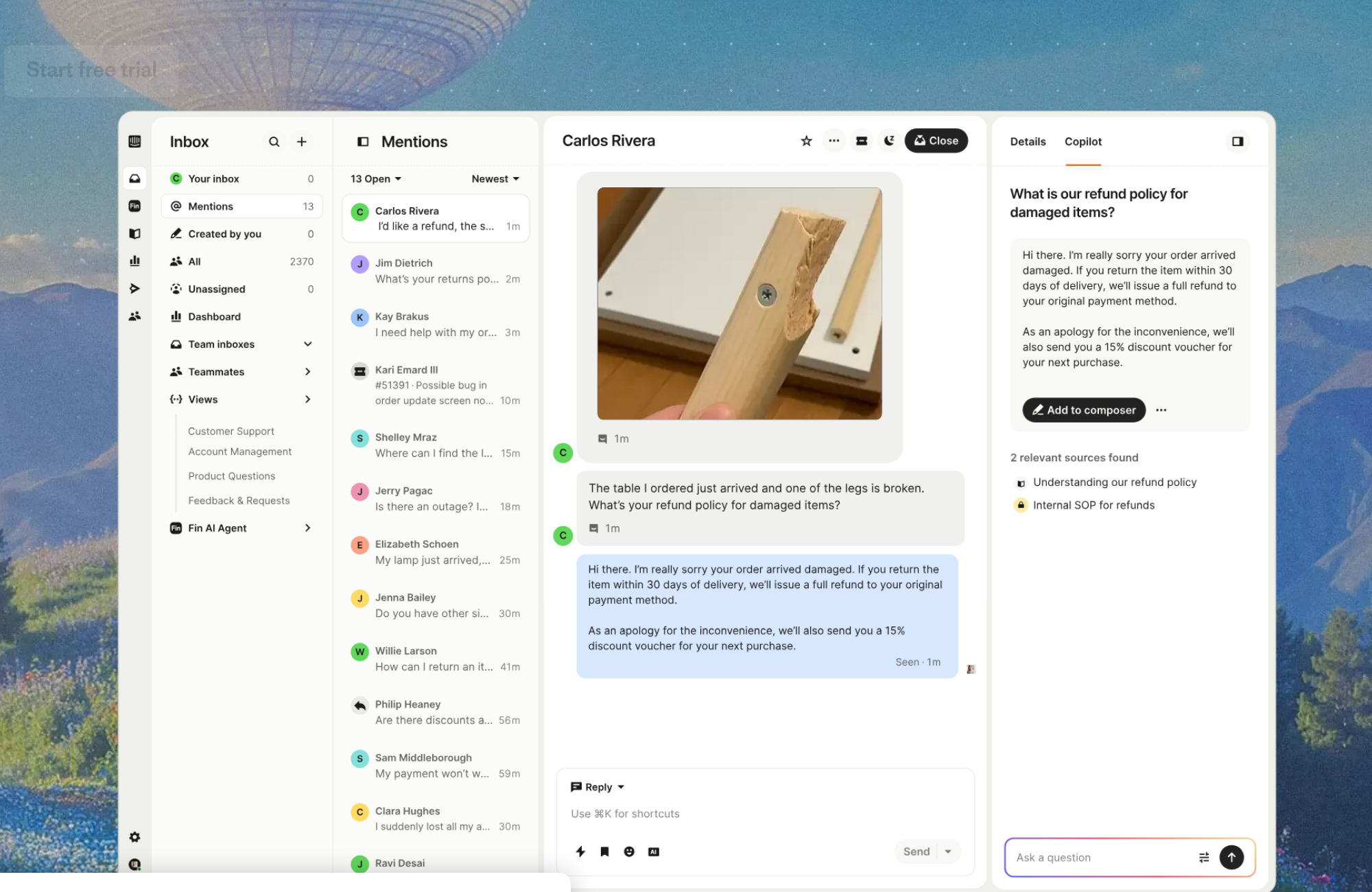
Best for. SaaS and digital businesses with real inbound volume and a good knowledge base for Fin to learn from.
Pricing. From $29/seat/month (Essential) plus $0.99 per Fin resolution; costs need modeling at volume. G2 rating: 4.5 (3,855 reviews) as of August 12, 2026.
Cons. The per-resolution meter makes budgeting genuinely hard, and the platform's center of gravity is inbound support; it has no concept of the multi-step processes that generate the questions.
3. Zendesk: best omnichannel support suite
What it is. Zendesk is the default enterprise support suite: ticketing, help center, chat, voice, and now per-agent AI copilots, at a scale and maturity smaller tools can't match.
How it works. Omnichannel tickets route through queues, SLAs, and automations; AI drafts replies and summarizes; reporting is deep.
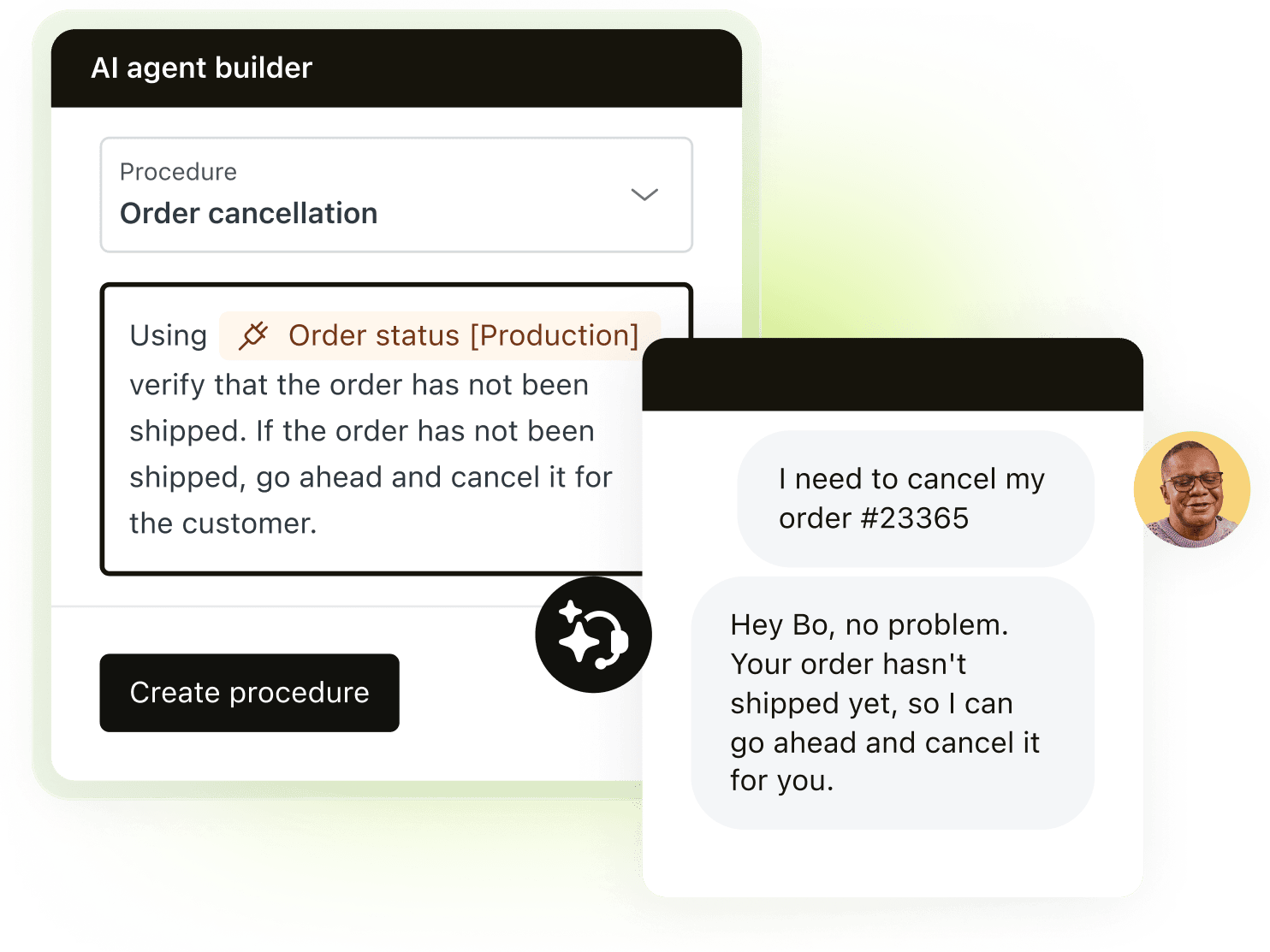
Best for. Support organizations at scale that need routing, compliance, and reporting more than they need novelty.
Pricing. Support from $19/agent/month; Suite from $55/agent/month; the AI copilot adds $50/agent/month. G2 rating: 4.3 (6,700 reviews) as of August 12, 2026.
Cons. Setup depth takes admin investment, costs stack quickly with add-ons, and customers still experience it as a ticket number, not a process view.
4. Front: best shared inbox for teams living in email
What it is. Front is a shared inbox that made team email collaborative: assignments, internal drafts and comments on real email threads, plus SMS and chat channels.
How it works. Shared inboxes with ownership and accountability per message; AI add-ons draft and QA replies.
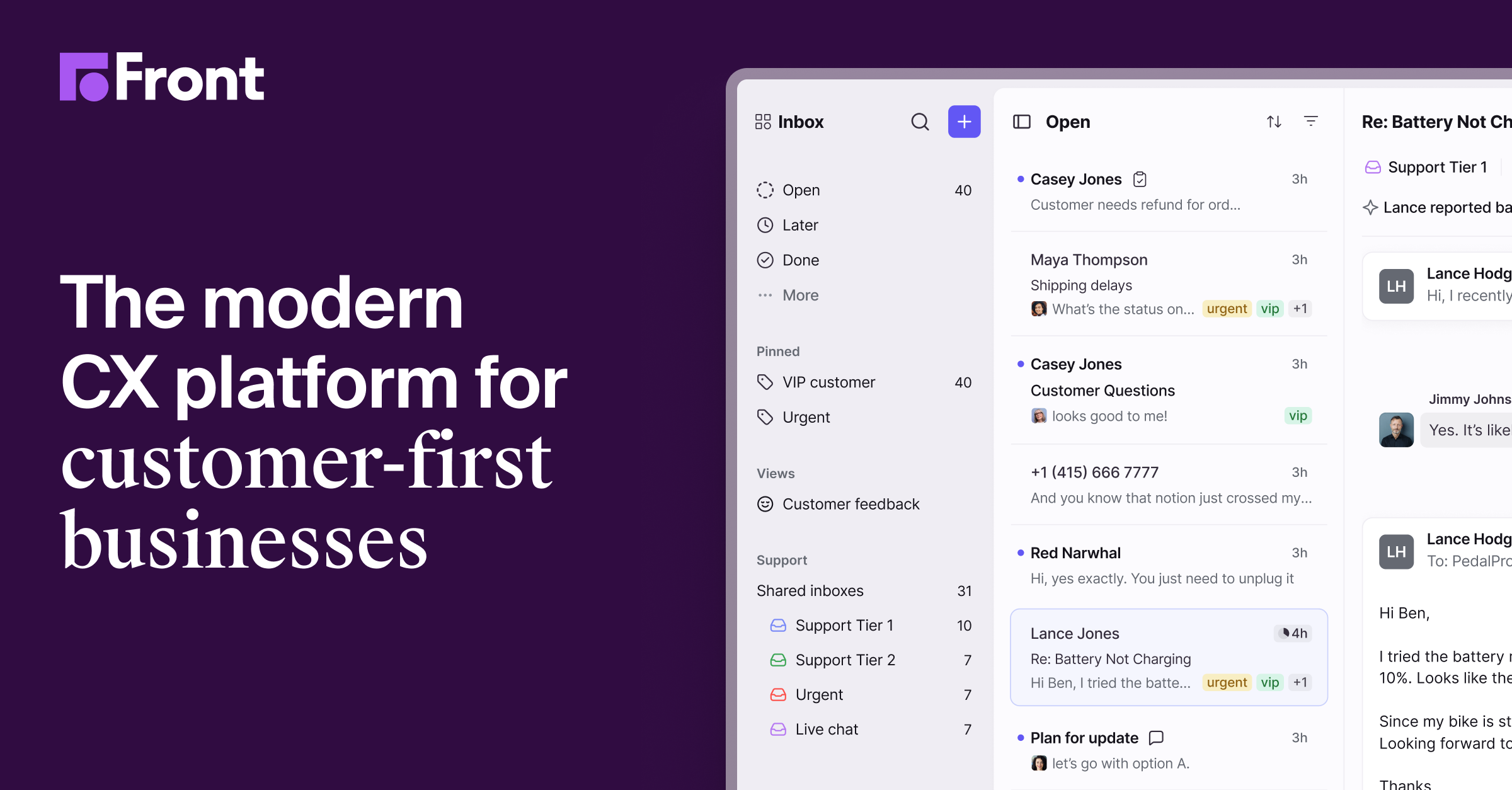
Best for. Logistics, financial services, and agencies where the customer relationship genuinely lives in email.
Pricing. From about $25/seat/month. G2 rating: 4.7 (2,500 reviews) as of August 12, 2026.
Cons. Email-shaped: fine for conversations, blind to the workflow behind them; AI features are priced as add-ons.
5. Help Scout: best straightforward support for small teams
What it is. Help Scout is the support desk teams learn in an hour: an email-like inbox, help center, and live chat without enterprise complexity.
Best for. Small teams that want warm, personal support communication without an admin hire.
Pricing. From $55/month flat. G2 rating: 4.4 (435 reviews) as of August 12, 2026.
Cons. Reporting and AI depth trail the category; flat pricing that's friendly at first gets debated as teams grow.
6. HubSpot Service Hub: best support attached to your CRM
What it is. HubSpot Service Hub is HubSpot's service product: tickets, help center, and AI answers that share one customer record with marketing and sales.
Best for. Teams already on HubSpot who want service context connected to the CRM instead of another silo.
Pricing. Free tools; paid from $20/seat/month, climbing at Professional tier. G2 rating: 4.4 (2,856 reviews) as of August 12, 2026.
Cons. Strongest inside the HubSpot universe and ordinary outside it; costs escalate as you add hubs and seats.
7. Slack: best for B2B customer channels
What it is. Slack is not a support desk at all, but with Slack Connect, it's the place where high-touch B2B relationships increasingly live: shared channels between your team and each customer's.
Best for. Startups and agencies with a small number of high-value customer relationships that deserve a live channel.
Pricing. Free; paid from about $7.25/user/month. G2 rating: 4.5 (39,137 reviews) as of August 12, 2026.
Cons. No structure at all: no tickets, no steps, no record of what was agreed beyond scrollback. Channels sprawl as customers multiply.
8. Podium: best SMS-first communication for local business
What it is. Podium is text-first customer communication for local and multi-location businesses: reviews, webchat that converts to SMS, payments over text, and an AI employee that responds to leads.
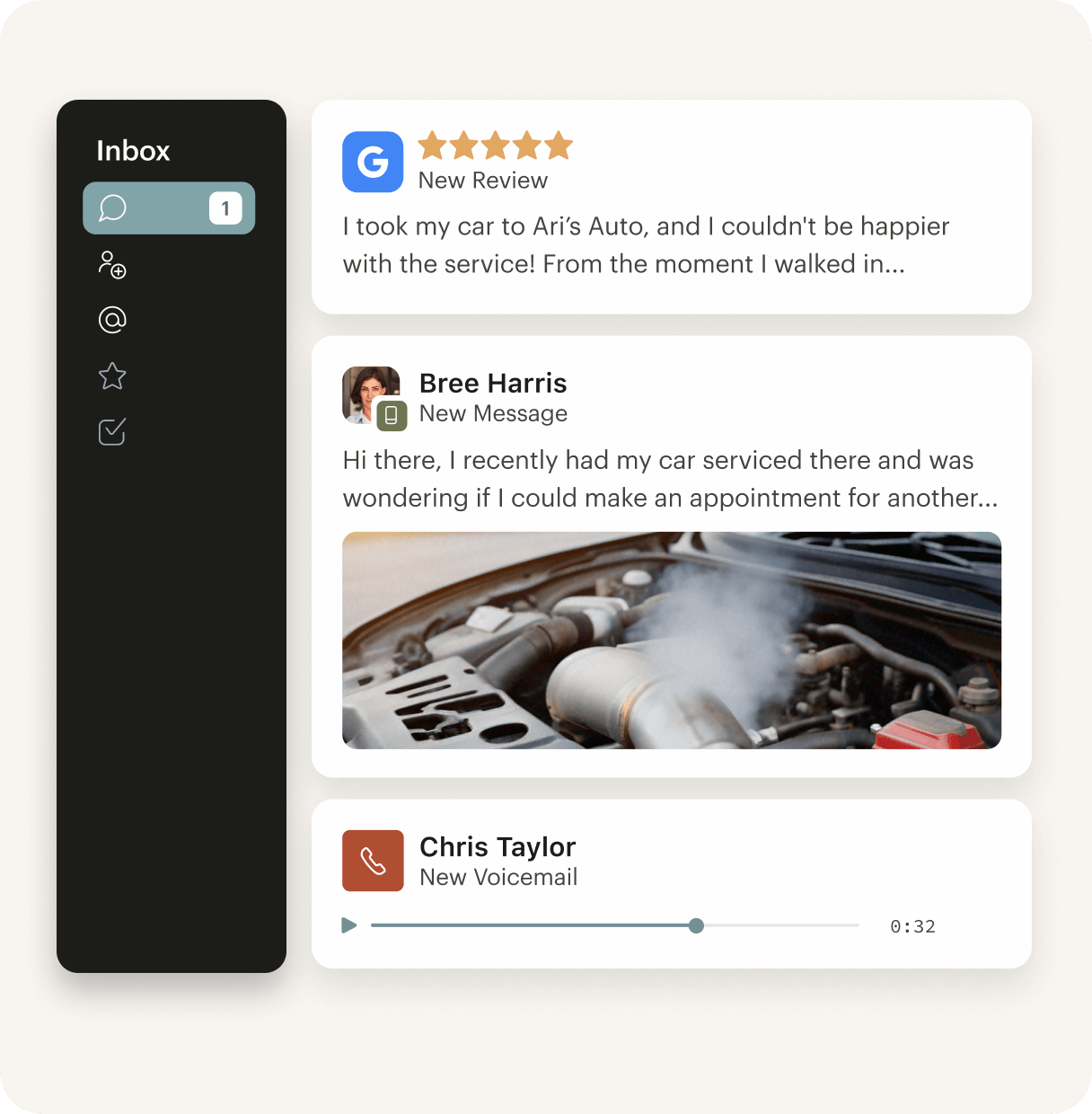
Best for. Home services, healthcare, automotive, and retail, where customers answer texts and ignore email.
Pricing. From $399/month on annual contract; real-world costs run higher with add-ons. G2 rating: 4.6 (2,067 reviews) as of August 12, 2026.
Cons. Priced for businesses where each lead is worth real money; annual contracts; scope is local-business communication, not process depth.
9. Missive: best small-team shared inbox on a budget
What it is. Missive is a shared inbox with real-time collaborative replies and tasks, loved by the small teams who find it.
Best for. Teams of two to twenty who want Front-style collaboration at half the price.
Pricing. Free plan; paid from $18/user/month. G2 rating: 4.7 (784 reviews) as of August 12, 2026.
Cons. Small vendor, dense interface, weaker mobile app; no process layer.
10. Twilio: best for building custom communication
What it is. Twilio is the programmable layer: SMS, voice, email (SendGrid), and WhatsApp as APIs, for engineering teams building communication into their own product.
Best for. Product and engineering teams with requirements no packaged platform fits.
Pricing. Usage-based per message, call, and email. G2 rating: 4.2 (1,877 reviews across Twilio products) as of August 12, 2026.
Cons. You're buying materials, not a house: every workflow, interface, and governance layer is yours to build and maintain.
Which customer communication platform is best?
Moxo is the best customer communication platform for businesses whose communication wraps a real process, and it holds #1 here because it's the only one where AI agents, your team, and your customers share one conversation inside the workflow itself. The right pick depends on the problem:
Your customers' questions are really process questions (onboarding, applications, renewals, claims): Moxo. The concierge agent answers from the live state of the workflow, and the status-check emails stop.
You drown in inbound volume: Intercom if you want AI resolving the routine majority; Zendesk if you need enterprise routing and reporting.
Your team lives in email: Front, or Missive at small-team prices.
You're small and want simple: Help Scout.
Your customers answer texts: Podium.
You're on HubSpot: Service Hub before adding another silo.
You're building your own: Twilio.
How to choose: five questions
1. Where do the questions come from? Count a week of inbound. If most messages are "where are we on X," you have a process visibility problem, and a faster inbox won't fix it.
2. What does the AI actually know? A bot that answers from help docs handles generic questions. An agent that reads the live process handles this customer's question. Ask vendors to show the difference.
3. What does the customer see? A ticket number, an email thread, or a branded view of their actual process with a way to act on it.
4. Who's accountable for what was said? If your industry ever audits communication, look for a record that ties messages, approvals, and decisions to named people, in context.
5. Do you need channels or structure? Channels move messages. Structure moves processes. Most teams buying their third communication tool needed structure the whole time.
For how AI agents fit into business workflows more broadly, see our tested review of the 16 best agentic AI tools and our comparison of the top AI automation services. If your communication problem is really a marketing operations problem, start with marketing workflow automation.
FAQs
What is the best customer communication platform?
Moxo for process-centric customer communication with AI agents and humans in one thread; Intercom for AI-first support volume; Zendesk for enterprise omnichannel support; Front or Missive for shared inboxes; Podium for SMS-first local business.
What's the difference between a customer communication platform and a help desk?
A help desk resolves inbound tickets. A customer communication platform is the broader category: it covers proactive, process-attached, and multi-channel communication, not just question resolution. Some tools do both; most are strong at one.
How are AI agents used in customer communication?
Three ways in 2026: resolving inbound questions (support bots like Fin), assisting human agents (drafting, summarizing), and working inside the process itself (Moxo's concierge agent, which answers from the live state of a customer's workflow and escalates to a person when judgment is needed).
Can AI replace human customer communication?
No, and the platforms that pretend otherwise create the worst experiences. AI handles the routine, instant, and repetitive; people handle exceptions, relationships, and anything with consequence. The design question is whether the handoff between them is smooth and whether the AI knows what it doesn't know.
What should regulated businesses look for in customer communication tools?
An audit trail that ties every message, approval, and automated action to a named actor with timestamps; role-based access; and control over what AI can do without human sign-off. Scattered email threads don't survive an audit.
How is Moxo different from tools like Intercom or Zendesk?
Intercom and Zendesk manage conversations about your processes; Moxo runs the process and builds the communication in. Its concierge agent answers customers from the live workflow state, human roles keep the judgment calls, and everything lands in one record.
