



Table of Contents
Search for AI automation services and you get two very different kinds of answers: software platforms you can sign up for this afternoon, and agencies that will build your automations for you. Both are real answers, just to different questions. Choosing the wrong shape is the most expensive mistake in this category, and most roundups don't even acknowledge the difference.
At Moxo we run on agentic workflows daily: agents draft, prepare, validate, and chase; people approve, decide, and sign. Moxo also tops this list, for a reason we're happy to defend. It's the only platform here designed so agents do the work while named people stay accountable, inside your company and across its boundary. The other nine are genuinely good at what they're built for. This guide ranks them straight, covers the managed route of agencies and consultants, and shows how to decide between doing it yourself and having it delivered.
Prices, features, and G2 ratings below are current as of August 2026.
What are AI automation services?
AI automation services apply artificial intelligence (language models, AI agents, document intelligence) to run business workflows with less manual effort. The AI is what separates them from classic automation: a traditional automation fires a fixed action when a trigger occurs, and breaks when the input varies. AI automation reads the document anyway, drafts the response, decides the routing, and handles the exceptions that used to mean a person doing tedious coordination.
The category goes by many names: AI automation tools, AI automation platforms, intelligent automation services, business process automation. The substance is the same, AI doing the operational work inside your processes. But the word "services" hides a fork in the road. Some of what sells under this term is software you operate; some is people you hire. Before comparing anything, decide which you're shopping for.
Platform or managed service: the three ways to buy
Self-service platforms. Zapier, Make, n8n. You sign up, you build, you own the result. Fastest start and lowest entry cost, and every automation that breaks at 2am is yours.
Enterprise platforms with delivery ecosystems. UiPath, ServiceNow, Appian, Workato, Microsoft Power Automate. Serious platforms bought through a sales motion and usually implemented with professional services or certified partners. Most predate modern AI by a decade or more, so what you're buying is a proven pre-AI architecture with agents added on top. Powerful, governed, and measured in quarters, not afternoons.
Managed services and agencies. A consultancy or AI automation agency designs and builds your automations for you, from boutique shops to global system integrators. You buy outcomes and speed; you also buy a dependency, so vet who maintains what they build.
Moxo takes a deliberate middle path: a platform, entered like a service. You start with a trial request or a demo rather than a cold signup, because processes with real stakes deserve a guided start. From there your team builds on the platform directly, or Moxo's own team designs and builds your processes with you. Either way you skip the quarters-long implementation program; once you're in, describe a process and the AI builder has it running the same day.
One more category deserves a note: the model layer. Claude, ChatGPT, and their peers are not competitors to anything on this list; they're the foundation the entire category runs on. Every platform here either embeds these models or connects to them. Some platforms, Moxo included, are bring-your-own-agent: agents you've already built on these models plug into workflows as first-class participants. If you're evaluating that layer specifically, see our guide to agentic AI tools.
How we evaluated these services
Six criteria, weighted toward what matters when the work is consequential:
- Real AI, not a rebadged trigger. Does it plan, read, decide, and adapt, or is it classic trigger-action with an LLM node bolted on?
- Human control. When a person needs to approve, review, or override, is that structural (roles, checkpoints, audit trail) or something you have to remember to add?
- Integration reach. How much of your stack it touches natively.
- Time to value. Signup to first working automation, or kickoff to first delivered process.
- Pricing transparency. Published numbers vs. "talk to sales."
- Service model. Who builds it, who maintains it, and what happens when it breaks.
A note on method: nobody runs ten platforms to production depth. We've gone deepest on the business workflow platforms, our own category, and leaned on public documentation, pricing pages, and hands-on time for the rest.
The top AI automation services compared
| Service | Best for | Starting price (Aug 2026) | Standout |
|---|---|---|---|
| Moxo | AI workflows across company boundaries, built by your team or delivered by Moxo's | Trial on request; plans at moxo.com/pricing | Human accountability built in: roles, approvals, audit trail |
| Zapier | Widest app coverage for self-serve automation | Free; paid from $19.99/mo | Largest app directory (8,000+) |
| Make | Visual automation on a budget | Free; paid from $12/mo | Price-to-power ratio |
| n8n | Technical teams, self-hosting | Free self-hosted; cloud from €20/mo | Open-source control, own your data |
| Power Automate | Microsoft 365 organizations | Premium $15/user/mo | Native M365 reach, approvals in Teams |
| UiPath | RPA-heavy enterprises, documents + legacy systems | Quoted | Legacy-system + document depth |
| Workato | IT-led enterprise integration automation | Quoted | Integration + automation in one platform |
| ServiceNow | ITSM + internal service ops at enterprise scale | Quoted | Deepest ITSM capability |
| Appian | Regulated, case-heavy process orchestration | Free Community Edition; tiers quoted | Governed process models for regulated work |
| Rossum | Document-heavy intake automation | From $18,000/yr | Best-in-class document extraction |
1. Moxo: best for AI workflow automation with human accountability
What it is. The AI workflow automation platform for business processes that carry consequence: agents do the operational work, and named people own the decisions. It's also the only entry on this list that comes both ways: as a platform your team builds on, and as a delivered service, where Moxo's team designs and builds your processes with you. On a list about "services," that dual motion matters. You're not choosing between buying software and buying outcomes.
How it works. You design a flow in a visual builder, or describe it conversationally and let the AI build it. Human roles run on one track, AI agents on another. Agents follow five archetypes: preparing work before a human touches it, advising on decisions with assembled evidence, reviewing submissions before they move forward, executing tasks end to end, and supporting participants in chat. The archetypes are patterns, not a catalog. Agent Foundry builds custom agents for whatever role a process needs, and teams can bring their own: agents built on Claude, ChatGPT, or your own models plug into flows as first-class participants. Supervisor agents oversee other agents and escalate to a person when something exceeds their scope. Automation steps that write to outside systems carry an "approve before it runs" option, so anything consequential (a charge, a record, a client-facing message) pauses for a named person first.
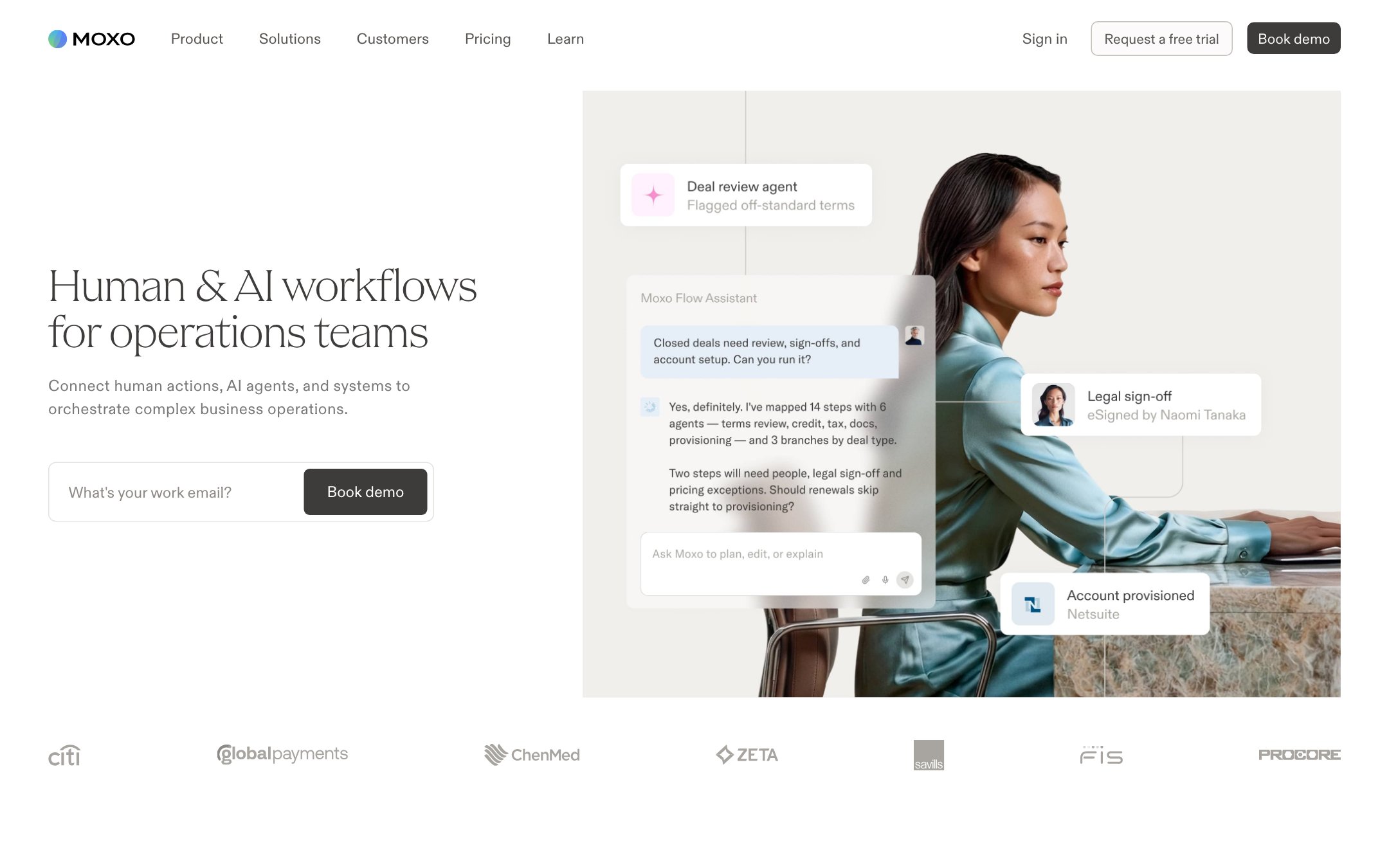
Best for. Ops and department leaders who own processes that cross the company boundary and carry consequence: client onboarding, lending operations, vendor compliance, engagement delivery. External participants like clients, vendors, and partners join through branded portals or magic links, with no accounts and no app downloads. Teams that want it built for them use Moxo's delivered-service model instead of hiring a separate agency.
Pricing. Plans at moxo.com/pricing. Entry is a trial request or a demo. G2 rating: 4.5 (194 reviews).
Pros. Human accountability is built into the architecture: roles, approval checkpoints, and a full audit trail of who decided what, when, and with what information. Custom and bring-your-own agents run alongside humans in one flow with one record. External participation is first-class. The result shows up in cycle time and throughput: agents compress the coordination between decisions, so the process moves at the speed of the decisions themselves.
Cons. Moxo is built for the processes a business runs on repeat, with people in them. If you just need a personal scraper or a one-off task automated by Tuesday, a lighter tool on this list will do that faster.
Where Moxo is different. Moxo is AI-native: designed in the agent era, not retrofitted for it. Human accountability is structural. It's the thesis of the product. Agents handle preparation, validation, routing, and follow-up; people make the calls that require judgment, and arrive with context assembled, data validated, and a clear action in front of them.
The fastest way to evaluate it: request a trial or book a demo, and bring one real process. Describe it to Moxo's AI builder and it's running the same day, with no implementation project.
2. Zapier: best integration breadth for self-serve automation
What it is. The biggest name in no-code automation, with 8,000+ connected apps, now layered with AI: Zapier Agents work toward goals across your connected tools, and Copilot builds automations from plain English.
How it works. Classic Zaps remain trigger-action. Agents accept a goal and operate across your existing app connections; Copilot turns a described process into a working automation. If your stack includes long-tail SaaS, Zapier probably already integrates it.
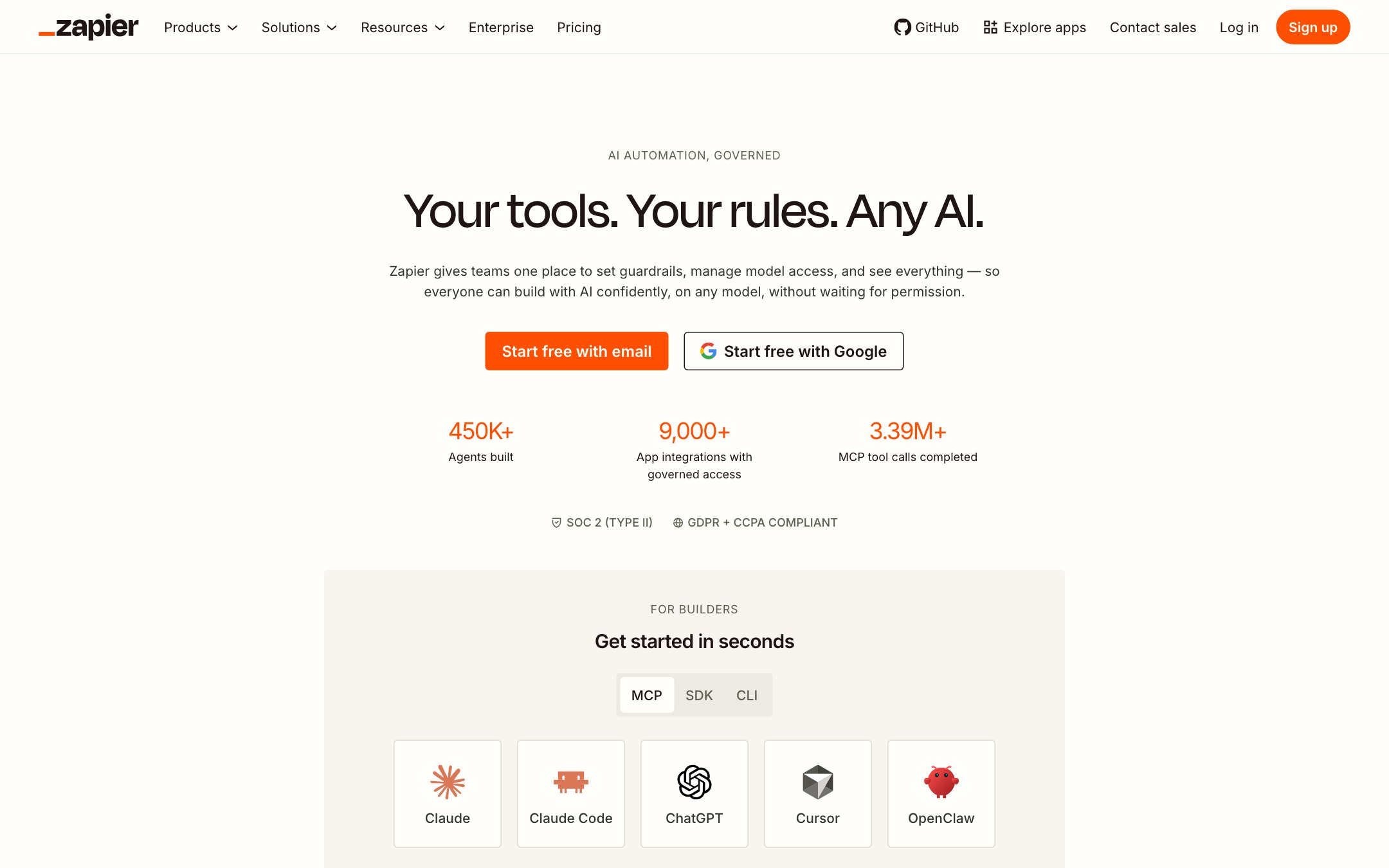
Best for. Teams that want the shortest path from "this is tedious" to "this is automated," across the widest set of everyday business apps.
Pricing. Free plan (100 tasks/month); paid from $19.99/month for 750 tasks; Team from $69/month; Agents has a free allowance with paid from about $33/month; enterprise custom. G2 rating: 4.5 (2,086 reviews).
Pros. Unmatched integration coverage. Agents inherit your existing connections, so the setup cost of AI automation drops to near zero for existing customers. Mature reliability tooling.
Cons. Task-based pricing gets expensive at volume. The AI products are young relative to the core platform. It connects apps to apps; multi-party processes with roles and sign-offs aren't the model.
3. Make: best value for visual automation
What it is. The visual automation platform formerly known as Integromat: 3,000+ apps, an elegant scenario canvas, and AI agents now included across tiers.
How it works. Scenarios chain modules visually with routers and filters; agent modules add goal-directed steps that decide their own path. Credits meter operations.
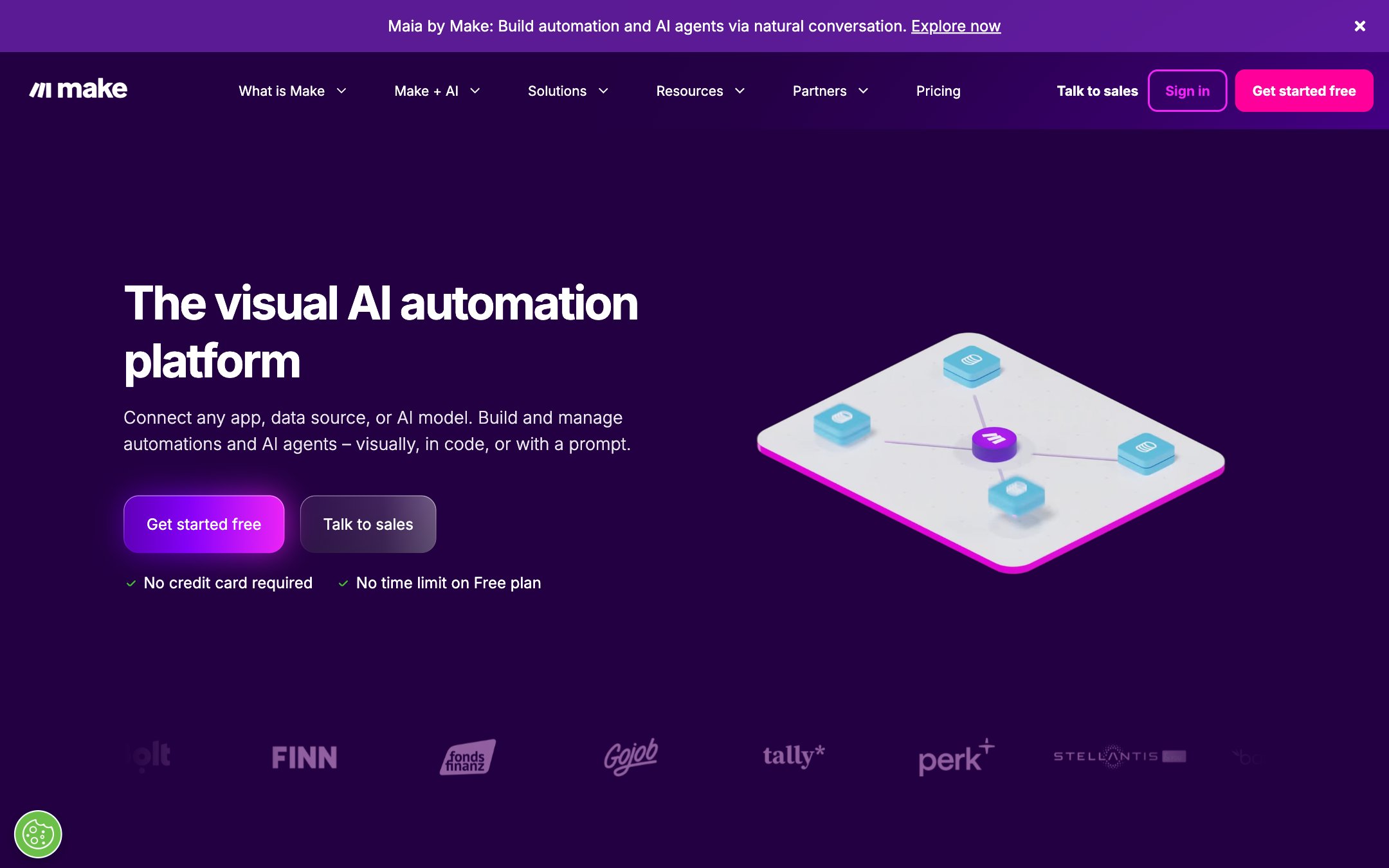
Best for. Budget-conscious teams who think visually and want real power (branching, error handling, complex logic) without per-task sticker shock.
Pricing. Free (1,000 credits/month); Core $12/month; Pro $21/month; Teams $38/month; enterprise custom. G2 rating: 4.6 (334 reviews).
Pros. The best price-to-capability ratio in no-code automation. The visual model scales to complex logic better than its peers do. AI agents are included rather than upsold.
Cons. Credit arithmetic takes getting used to. The agent capabilities are newer and it shows. Same single-operator DNA as its peers: humans appear as steps, not roles.
4. n8n: best for technical teams that self-host
What it is. An open-source workflow automation platform (200K+ GitHub stars) with serious AI capability: agent nodes, memory, and model integrations, composable with 400+ integrations and arbitrary code.
How it works. Visual node editor, self-hosted or cloud. Agent nodes wrap models with tools and memory; everything else (branching, retries, error handling) is classic n8n. The community edition is free to run on your own servers.
Best for. Technical teams that want to own their automation infrastructure, keep data on their own servers, and pay flat rather than per task.
Pricing. Free self-hosted community edition; cloud from €20/month for 2,500 executions; Business €667/month adds SSO and self-hosted support; enterprise custom. G2 rating: 4.7 (300 reviews).
Pros. Full control and data residency. Execution-based pricing is honest at scale. The AI agent nodes hold up in production.
Cons. The learning curve is real; this is a builder's tool. Reliability, governance, and audit are your operational responsibility. "Free" self-hosting isn't free once you count the engineer who runs it.
5. Microsoft Power Automate: best for Microsoft 365 organizations
What it is. Microsoft's automation layer: cloud flows across the M365 estate, desktop RPA for legacy screens, and AI throughout. Copilot builds flows from plain English; AI Builder handles documents and predictions.
How it works. Flows trigger from events across Teams, SharePoint, Outlook, Dynamics, and thousands of connectors; attended or unattended desktop bots cover what APIs can't. Approvals are a native step type that lands in Teams and Outlook, where your people already are.
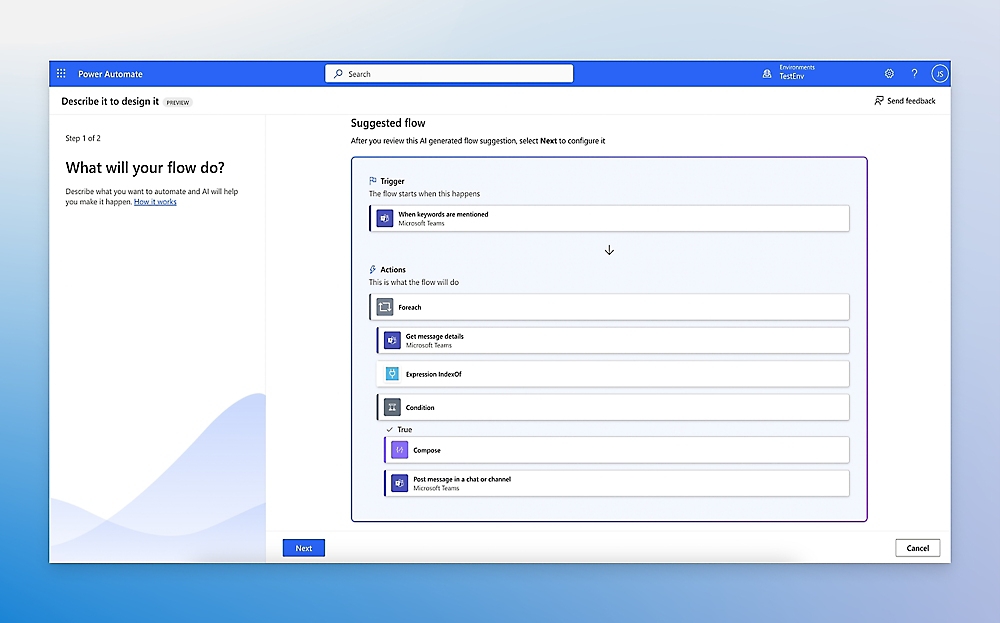
Best for. Organizations whose work already lives in Microsoft. The integration, identity, and governance you'd otherwise assemble is already in the tenant.
Pricing. Premium $15/user/month (annual); Process $150/bot/month for unattended automation; Hosted Process $215/bot/month; 30-day free trial. Watch consumption add-ons at scale. G2 rating: 4.4 (1,097 reviews).
Pros. Tenant-level identity, DLP, and compliance boundaries your IT team already runs. Native approvals in the tools people live in. RPA and cloud automation under one roof.
Cons. Gravity: excellent inside the Microsoft walls, awkward outside them. Licensing takes a spreadsheet to understand. Processes involving external parties, clients and vendors especially, are not the sweet spot.
6. UiPath: best for RPA-heavy enterprises adding AI
What it is. The RPA market leader retooling for the agent era. Robotic process automation (software robots mimicking human clicks and keystrokes) is the previous generation of automation; UiPath leads that world and is now layering AI agents over it, with one orchestration layer across robots and agents alike.
How it works. UiPath robots handle screens, documents, and legacy systems; agent capabilities layer LLM reasoning over them, with enterprise orchestration, queues, and audit throughout. Implementation typically runs through UiPath services or certified partners. Nobody trials UiPath on a Tuesday afternoon; it's a platform you adopt.
Best for. Enterprises with heavy document and legacy-system workloads (insurance intake, claims, back-office finance), especially where a UiPath estate already exists.
Pricing. Quoted; enterprise sales motion. G2 rating: 4.6 (7,771 reviews across UiPath products).
Pros. Nobody touches legacy systems and documents at this depth. Mature orchestration, queues, and audit. The robots and the agents cover for each other's blind spots.
Cons. Heavy: IT-led implementation, real cost, long time-to-value. Built for internal operations; the external-participant experience isn't the model.
7. Workato: best for IT-led enterprise integration automation
What it is. An enterprise iPaaS with AI woven through it: 1,400+ connectors, a recipe model for automation logic, and agentic capabilities for orchestrating work across the stack.
How it works. Recipes connect triggers and actions across enterprise systems with governance IT departments accept: versioning, environments, role-based access. AI features draft recipes, map data, and add agent steps. Most deployments involve a partner or Workato's own services.
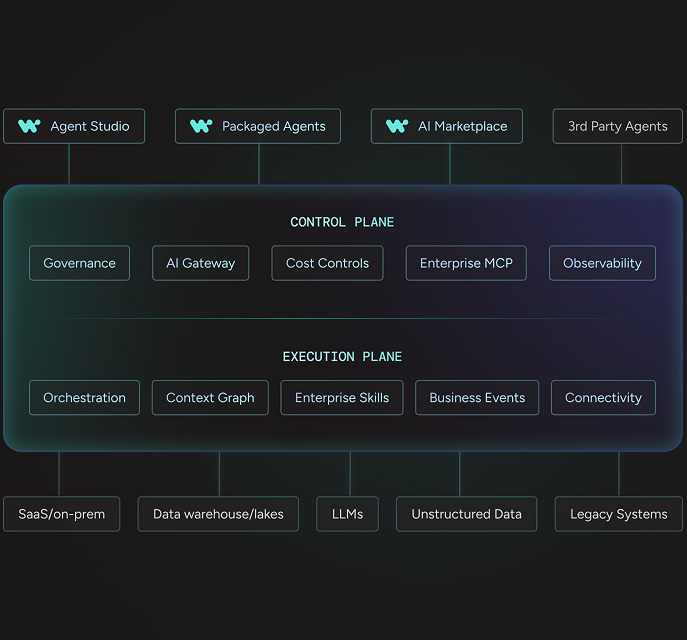
Best for. Mid-size to large companies automating system-to-system work (quote-to-cash, employee onboarding, data sync) where IT owns the integration layer.
Pricing. Quoted; pricing is not published. G2 rating: 4.7 (777 reviews).
Pros. Serious enterprise governance without UiPath-class weight. Strong connector library and recipe community. Handles both integration and automation, so you're not buying two products.
Cons. Opaque pricing makes budgeting a negotiation. Built for systems talking to systems. Humans, and especially external humans, are not first-class participants.
8. ServiceNow: best for ITSM and internal service operations at enterprise scale
What it is. The IT service management platform: the system of record for incidents, changes, tickets, and requests at most of the Fortune 500, grown outward into HR, facilities, and customer service, with Now Assist and AI agents now woven through the estate. ITSM is the DNA. Everything ServiceNow does well, it does the way a service desk thinks: queues, SLAs, escalations, approvals.
How it works. Work flows through a shared data model with routing, SLAs, and approvals; Now Assist drafts, summarizes, and resolves; AI agents pick up routine requests end to end. Getting there is the commitment. ServiceNow is deployed as a phased program with certified partners; a basic service desk can go live in months, but the enterprise transformations it's actually bought for routinely become multi-year, multi-module programs with a permanent platform team attached.
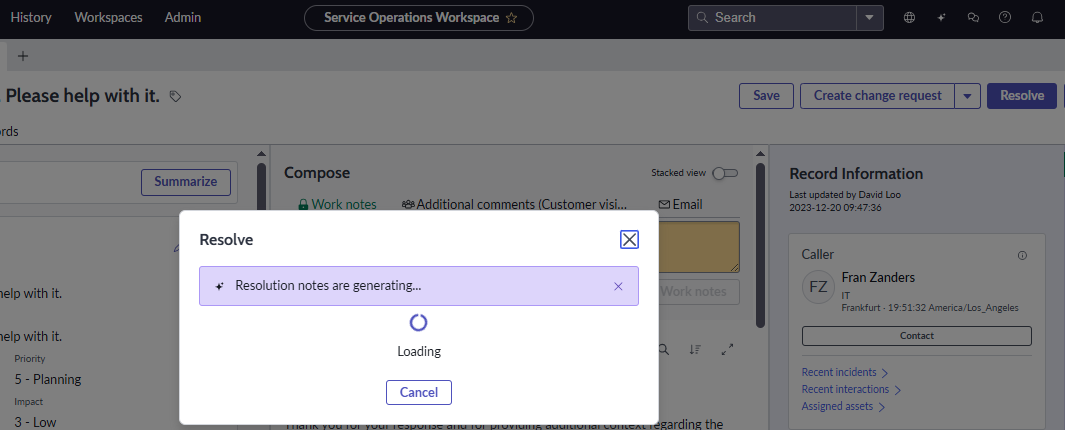
Best for. Large organizations automating employee-facing service delivery (IT above all, then HR cases, facilities requests, and internal approvals) at a scale where a dedicated platform team is a given.
Pricing. Quoted; per-user licensing through sales. G2 rating: 4.4 (6,825 reviews across ServiceNow products).
Pros. The deepest ITSM capability on the market. Mature workflow governance (approvals, SLAs, audit) proven at massive scale. The AI layer sits on top of real operational data.
Cons. The longest time-to-value on this list: implementations run in phases that often stretch across years, and the platform needs permanent staffing (admins, developers, a partner relationship) to keep evolving. Cost puts it out of mid-market reach. And it sees the world through a service-desk lens: brilliant for employee requests, a stretch for client- and vendor-facing business processes.
9. Appian: best for regulated, case-heavy process orchestration
What it is. A process orchestration platform from the BPM generation. Appian has been modeling business processes since 1999, long before AI entered the picture, and it shows in both directions: the process models, case management, and data fabric carry decades of production use, and the architecture underneath the new Agent Studio is a generation old.
How it works. Developers model processes and cases; the data fabric unifies records across systems; AI agents and document extraction slot into the model with the same permissions and audit as everything else. Bought through sales, built by IT or a partner.
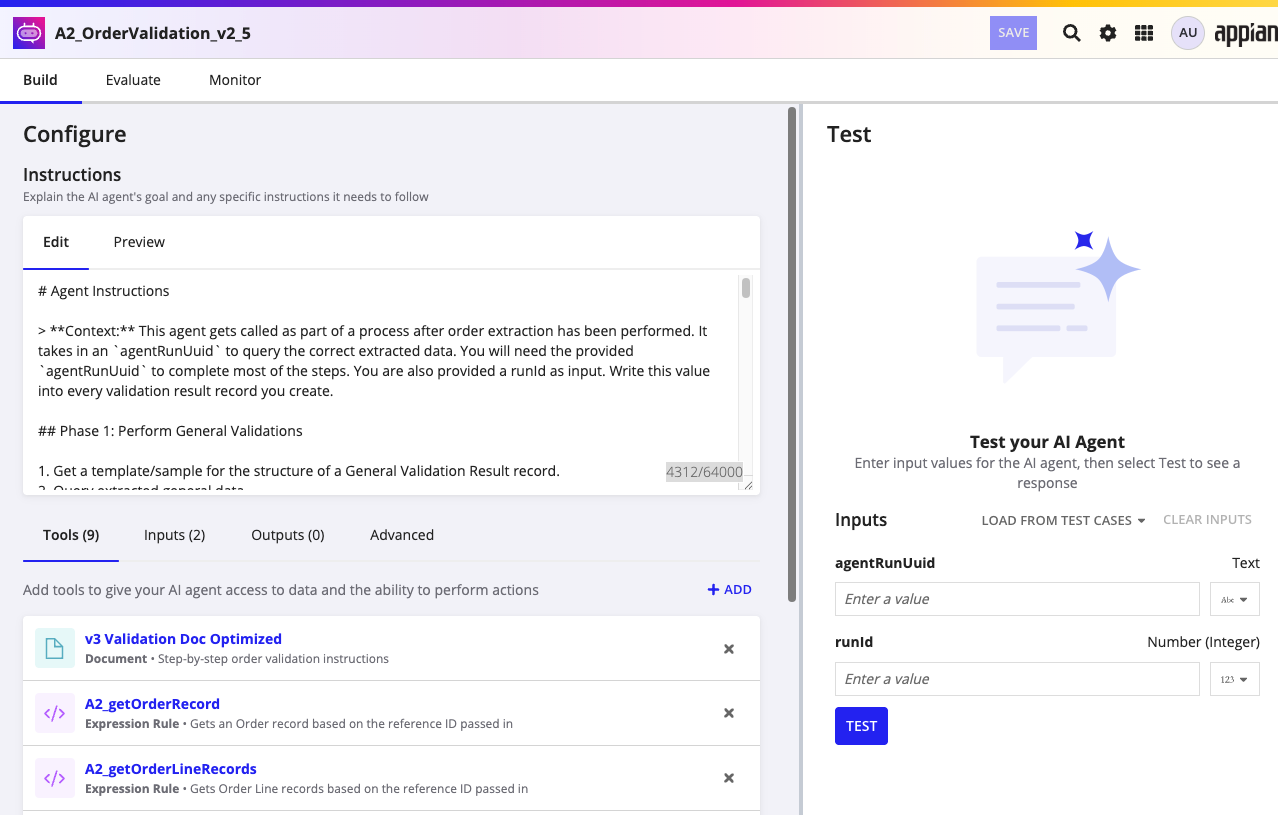
Best for. Regulated industries (financial services, insurance, government) running case-heavy processes where process logic, data lineage, and auditability all have to hold up to examination.
Pricing. Standard, Advanced, and Premium tiers, priced per user per app; dollar amounts aren't published. A free Community Edition exists for evaluation. G2 rating: 4.5 (501 reviews).
Pros. Human tasks, approvals, and audit are native to the process model; the BPM DNA shows. Strong document intelligence. Governance regulators recognize.
Cons. It's the previous generation of process automation with AI added, not a platform designed around AI. Developer-led: business teams don't self-serve. Implementation is measured in months. Per-user-per-app pricing gets complicated across many processes.
10. Rossum: best for document-heavy intake automation
What it is. A specialist, and a deliberately narrow one: Rossum reads transactional documents (invoices, orders, claims, customs forms) and turns them into clean, validated structured data. That's the whole job. It does it better than the general platforms on this list, and it does nothing else.
How it works. Documents arrive by email or API; the AI reads them without templates to maintain (276 languages), checks them against business rules and master data, and flags anything uncertain for a quick review before the data posts downstream.
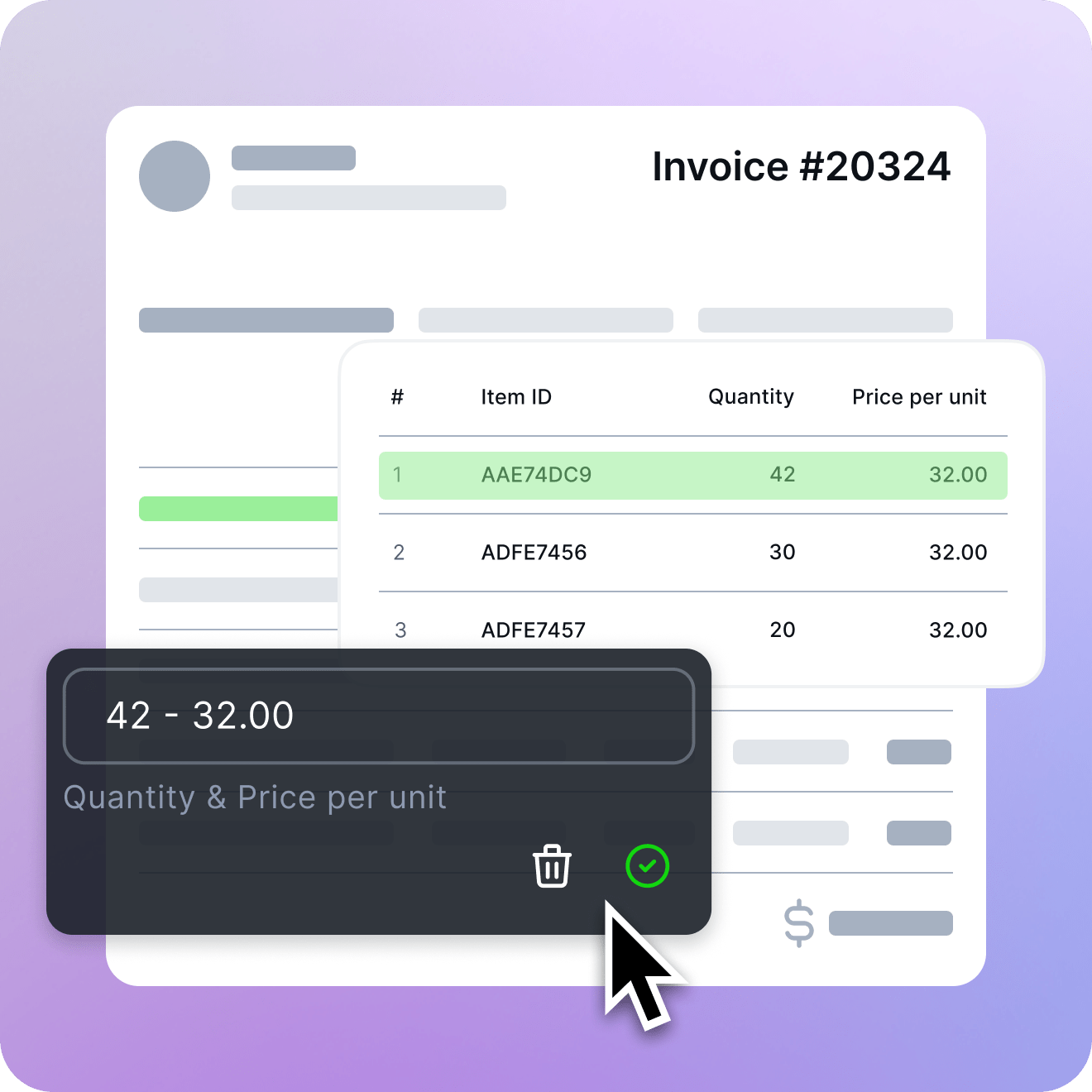
Best for. AP, logistics, insurance, and shared-services teams processing high document volumes where extraction errors turn into payment errors.
Pricing. Starter from $18,000/year; higher tiers quoted; 14-day trial; annual contracts. G2 rating: 4.5 (127 reviews).
Pros. Best-in-class document AI. Measurable ROI at volume. Deploys in weeks, not quarters.
Cons. Rossum stops where the document stops. Once the data is extracted, the approvals, exceptions, and back-and-forth with whoever sent the document still need somewhere to live. Most teams pair it with a workflow platform. Rossum feeds the process; it doesn't run it. The price floor rules out low volumes.
What about AI automation agencies and consultants?
A large share of people searching for AI automation services aren't looking for software at all. They want an AI automation company to build it for them. That market runs from solo consultants to boutique AI automation agencies to the AI automation consulting arms of global system integrators, and the honest answer is that quality varies enormously.
When an agency is the right call. You have no internal builder and no appetite to become one; the process is well understood and stable; you need it working in weeks. A good agency compresses time-to-value dramatically. Most build on exactly the platforms above (Make, n8n, and Zapier are the common stack), so you're paying for expertise and speed, not secret technology.
What to check before signing. Who maintains the automations after handoff, at what cost, and how fast when something breaks at month six? What happens when the agency's key person leaves? Do you own the accounts and the logic, or does it all live in their workspace? Agency-built automations have a way of becoming orphans, so budget for the relationship, not the build.
The middle path. Some platforms deliver the service themselves. Moxo's delivered model has Moxo's own team doing the process consulting and build on the platform: one vendor accountable for both the software and the outcome. The enterprise platforms (UiPath, ServiceNow, Appian, Workato) route delivery through certified-partner ecosystems. Capable, but that puts a second vendor in the room, with the coordination seams and split accountability that brings. If you want outcomes without orphaned automations, buying the build and the platform from the same accountable party is the cleanest structure.
Which AI automation service is best?
For business processes, the work that involves clients, approvals, deadlines, and judgment, our answer is Moxo, and this page is the case. Different situations have different right answers, though. Here they are, straight:
- You run multi-party business processes with consequence (onboarding, lending, compliance, client delivery): Moxo, the only entry where human control is architecture rather than a node. It's also the pick if you want it built for you without hiring a separate agency.
- You want the fastest self-serve start across everyday apps: Zapier for reach, Make for value.
- You're a technical team that wants to own everything: n8n, self-hosted.
- Your company lives in Microsoft: Power Automate before anything else.
- You're an enterprise with documents, legacy systems, or internal service ops: UiPath, Appian, or ServiceNow, matched to your estate; Workato where IT owns integration.
- Your bottleneck is documents specifically: Rossum, feeding whichever platform runs the process.
How to choose an AI automation service: five questions
- What happens if the AI is wrong? If the answer involves a client, a regulator, or money, structural human checkpoints are a requirement.
- Who maintains it in month six? DIY means you. Agency means a retainer. Platform-plus-delivered-service means the vendor. Pick deliberately; this decides more of your total cost than the license does.
- Does the process cross your company's boundary? Clients, vendors, and partners change the problem completely. Most tools here have no answer for external participants.
- What's your existing estate? A Microsoft shop points to Power Automate, a UiPath fleet to UiPath, a long-tail SaaS stack to Zapier. Fighting your estate is expensive.
- Repeatable process or one-off tasks? Processes deserve orchestration platforms; tasks deserve lightweight automation. Buying the wrong shape is the most common mistake we see.
If you're working out how AI agents connect to the systems you already run, start with AI agent integration. For the engineering-framework layer, see the agentic AI framework comparison.
Frequently asked questions
What does AI automation do?
AI automation uses artificial intelligence to run business workflows with less manual effort: reading documents, drafting responses, deciding routing, and handling exceptions that fixed trigger-action rules can't. In practice it covers everything from an agent that qualifies inbound leads to a full client-onboarding process where AI prepares every step and humans approve the consequential ones.
What do AI automation services include?
Most cover five kinds of work: lead capture and qualification (instant response, enrichment, scheduling), customer-facing AI agents for support and intake, document processing (reading, validating, and posting data from invoices, claims, and forms), back-office process automation (onboarding, approvals, reporting, follow-ups), and integration work that keeps the systems involved in sync. The better services add human approval checkpoints wherever the work is consequential.
How much do AI automations cost?
Self-serve platforms start free and run $12–$50/month at entry tiers (Make from $12, Zapier from $19.99). Per-user enterprise licensing starts around $15/user/month (Power Automate Premium). Specialized platforms price on volume; document automation starts around $18,000/year (Rossum). Enterprise platforms (UiPath, ServiceNow, Workato, Appian) are custom-quoted. Agency builds are priced per project or retainer and vary widely. Get the maintenance plan in writing, because that's where the real cost lives.
What are the top 5 AI services?
By use case, as of 2026: Moxo for AI workflow automation with human accountability, Zapier for self-serve automation across the most apps, Microsoft Power Automate for Microsoft 365 organizations, UiPath for enterprise RPA plus documents, and Make for visual automation on a budget. Foundation models like Claude and ChatGPT sit underneath all of them. They're the model layer the category runs on; you still need a process system on top.
Can I start AI automation for free?
Yes. Zapier (100 tasks/month) and Make (1,000 credits/month) have permanent free tiers, n8n's community edition is free to self-host, Appian offers a free Community Edition, and Power Automate has a 30-day trial. Free tiers are for proving the concept. Production reliability, governance, and support are what you end up paying for.
Should I pay for an AI service?
Pay when the work is consequential or the volume is real. Free tiers prove concepts; paid tiers buy reliability, support, governance, and human-approval controls. The comparison that matters isn't license cost versus free. It's license cost versus the hours and errors the automation removes. A $30/month plan that saves a day a week pays for itself in the first morning.
How to make money with AI automation?
Two honest paths. Apply it in your own business: automate intake, onboarding, follow-ups, and reporting, and take the gains as capacity. Or build for others: the AI automation agency model is booming, and most agencies deliver on the platforms in this list. Either way, the durable money is in owning outcomes (a process that reliably cuts cycle time), not in reselling tool access.
What is the difference between an AI automation platform and an AI automation agency?
A platform is software you subscribe to and build on; you own the result and the maintenance. An agency is a company you hire to design and build automations for you, usually on those same platforms. The middle path is a platform with a delivered-service motion, like Moxo, where the vendor's own team designs and builds the processes and one company stays accountable for both the software and the outcome.
What is human-in-the-loop AI automation?
It's automation where AI does as much of the work as possible and humans handle the steps that structurally require judgment (approvals, exceptions, sign-offs), arriving with context already assembled. Done well, it's not "a human checks everything": most steps run autonomously, and the platform enforces named human decisions exactly where accountability demands them, with an audit trail that proves who decided what.
