Support operations manager
Help desk supervisor
Tier-two support lead
Customer success manager
IT service manager
Quality assurance analyst

This process is used when a specific support ticket has not been resolved within its expected SLA window, when the ticket’s complexity exceeds the capabilities of the current assignee, or when the customer has requested elevated attention. It applies to individual tickets rather than systemic service issues, and is triggered by SLA timers, agent judgment, or customer request. It is common when help desk operations, tier-two support, and management must coordinate to prevent breaches and maintain service quality. Ideal for IT service desks, SaaS support teams, managed service providers, and any organization with SLA-driven support operations.
This process typically involves the original ticket assignee who flags the need for escalation, help desk supervisors who triage and authorize the escalation, tier-two or specialized agents who take ownership of the ticket, and management who oversees high-priority or SLA-critical escalations. The customer or end user may participate in providing additional context or confirming resolution.
Fewer SLA breaches because at-risk tickets are identified and escalated before deadlines are missed. Faster resolution of stuck tickets by connecting them to agents with the right expertise and authority. Complete handoff context so escalated agents can resume work immediately without asking the customer to repeat their issue. Visible escalation status for supervisors and managers to track progress on high-priority tickets in real time. Actionable escalation metrics that reveal which ticket types, agents, or issue categories most frequently require escalation.
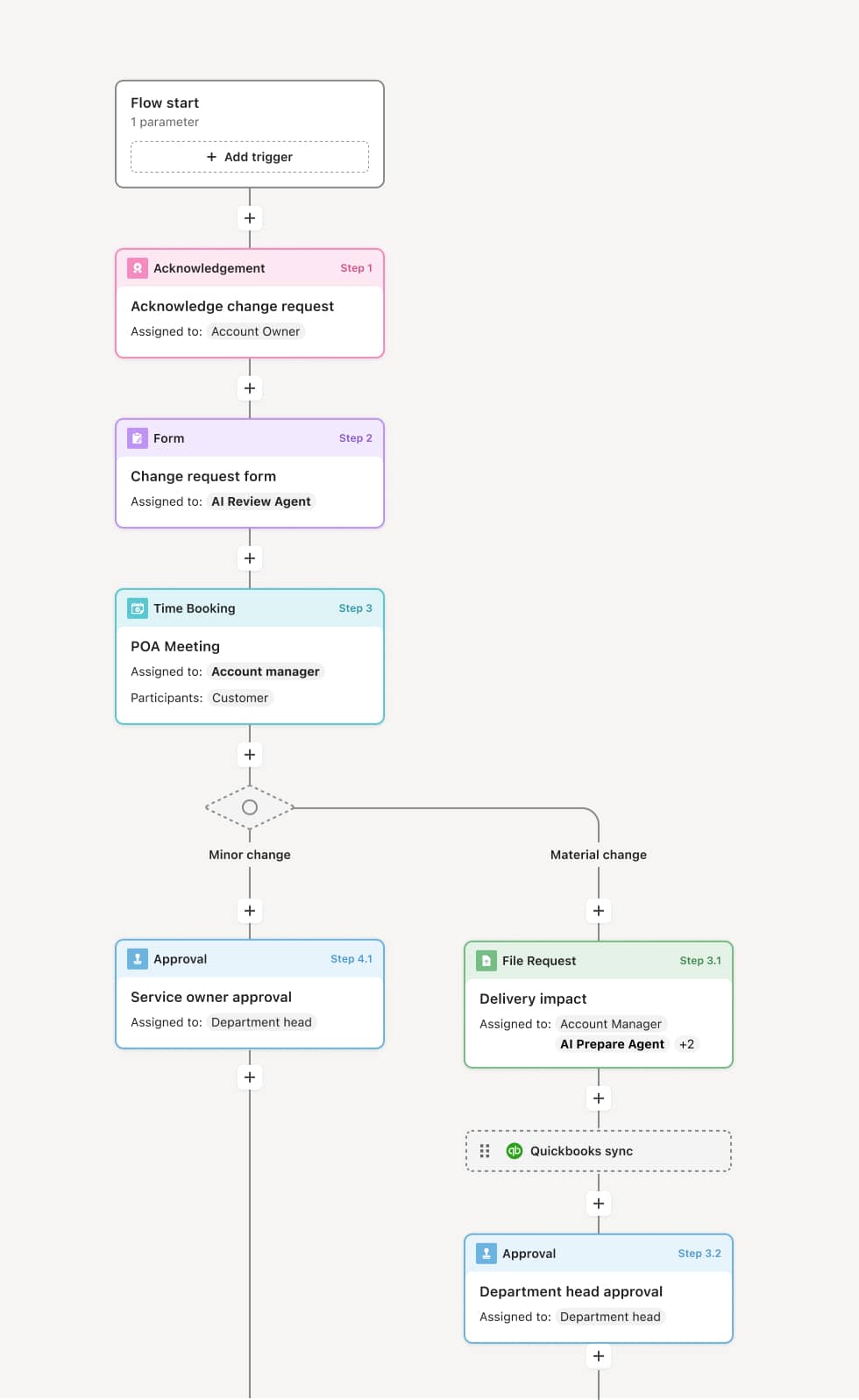
Your version of this process may vary based on roles, systems, data, and approval paths. Moxo’s flow builder can be configured with AI agents, conditional branching, dynamic data references, and sophisticated logic to match how your organization runs this workflow. The steps below illustrate one example.
Escalation identification
The process begins when a ticket is flagged for escalation. This may occur when an SLA timer triggers an automatic alert, when the assigned agent determines the issue is beyond their scope, or when the customer requests elevated support. An AI Agent can monitor ticket age, SLA status, and resolution attempts to proactively flag tickets that are at risk.
Supervisor triage
The help desk supervisor reviews the flagged ticket to confirm the escalation is warranted, assesses the issue type and priority, and determines the appropriate escalation destination — a tier-two specialist, a product-specific queue, or management. If the ticket does not warrant escalation, it is returned to the original agent with guidance.
Ticket reassignment with context transfer
The ticket is reassigned to the new owner along with the complete history: customer communications, troubleshooting steps taken, relevant system data, and any attachments. An AI Agent may prepare a concise handoff summary that highlights the key issue details and what has already been attempted.
Escalated resolution
The new assignee investigates and works toward resolution. If additional information is needed from the customer, it is requested within the same tracked workflow. If the issue requires further escalation — to engineering, a vendor, or senior management — the process routes accordingly.
Resolution and customer confirmation
Once resolved, the customer is notified with a clear explanation. The customer confirms resolution or provides feedback. If the resolution is not satisfactory, the ticket remains open for further investigation.
Closure and performance tracking
The ticket is closed with documented resolution details, escalation reason, and total resolution time. Escalation data is captured for performance reporting and process improvement.
This process commonly relies on inputs such as the original ticket record, SLA status data, customer communications, troubleshooting logs, and product or system configuration details. It may be triggered by an SLA timer, an agent flag, or a customer escalation request. Connected systems often include ITSM or helpdesk platforms like ServiceNow, Zendesk, or Jira Service Management, CRM tools for customer context, and monitoring or diagnostic tools for technical issues.
Key decision points include whether the ticket meets escalation criteria based on SLA status, complexity, or customer impact, which tier or specialist the ticket should be reassigned to, whether the proposed resolution adequately addresses the customer’s issue, and whether the escalation data warrants a broader process or product investigation.
Escalation triggers set too conservatively, so tickets breach SLA before the escalation process activates. Incomplete context transfer when tickets are reassigned without troubleshooting history, causing the new agent to duplicate prior work. Supervisor bottlenecks when all escalations must be manually triaged by a single point of contact. Resolution delays after escalation because the new assignee lacks the specific expertise needed and must re-route again. Escalation data not analyzed, missing opportunities to address systemic issues that drive repeat escalations.
Orchestrates ticket escalation across support tiers and management in a single tracked flow that preserves the complete ticket history.
Routes tickets based on SLA status, issue type, and priority so the right resolver is engaged without manual triage delays.
AI Agents monitor ticket health and proactively flag at-risk tickets before SLA deadlines, enabling preemptive escalation.
Prepares concise handoff summaries so escalated agents receive the issue context, prior troubleshooting, and customer communications immediately upon assignment.
Connects to ITSM and helpdesk platforms like ServiceNow, Zendesk, and Jira Service Management so ticket data stays synchronized throughout the escalation.
Captures escalation metrics by preserving escalation reasons, resolution times, and outcomes as part of the operational record for performance analysis and process improvement.