


Table of Contents
Agency time leaks out in the gaps around the creative work. A draft waits three days for a client's comments, an approval gets buried in a reply-all thread, and an account manager spends Friday afternoon chasing sign-offs. A portal that centralizes files and messages helps, but it rarely fixes the part that hurts, which is multi-step work stalling between people who don't report to the same manager.
That is why choosing a client portal is an operational decision as much as a client experience one. The right platform cuts coordination overhead, makes ownership clear, and keeps deliverables moving without constant follow-up. This guide compares seven client portals for marketing agencies, with a practical lens on how each one supports execution as your client work grows more complex.
Key takeaways
Coordination is the real bottleneck: Most agency delays come from reviews, approvals, and handoffs around the work.
Portals differ in how much they structure: Some share files and updates, some focus on creative proofing, and some run the whole client process with clear owners at every step.
Approvals need a defined path: Platforms that route feedback through set steps cut the back-and-forth that slows campaigns down.
Match the tool to your complexity: Simple engagements can run on lightweight portals, while multi-step client work needs structure, automation, and accountability.
Client portal comparison for marketing agencies
| Platform | Best for | Where it fits operationally | Main limitation |
|---|---|---|---|
| Moxo | Agencies managing complex, multi-step client work | Execution layer for approvals, handoffs, and accountability across clients and teams | Requires upfront process definition; may be more than very simple projects need |
| Accelo | Agencies needing PSA and time tracking | Internal visibility into projects, billing, and utilization | Focus is internal delivery and financials |
| Client Portal (WordPress plugin) | Simple client communication and updates | Lightweight portal for sharing information | Approval routing not listed in its features |
| SuiteDash | Agencies wanting an all-in-one system | Broad coverage of CRM, portals, and billing | Wide toolkit; check depth for your workflows |
| Aproove | Creative-heavy agencies focused on asset review | Approval workflows with an audit trail | Built around approval workflows |
| Assembly | Branded client portal with a built-in CRM | Client messaging, files, contracts, and payments | Test multi-step approvals on a real client workflow |
| Monday.com | Internal task and project tracking | Flexible internal work management | Clients join as guests on shareable boards |
Before you shortlist an agency client portal, check each option against our list of client portal features that agencies use every day.
Managing clients should not feel like managing chaos
Client onboarding is slow. Feedback loops are even slower. Deliverables often slip because of the back-and-forth it takes to get sign-off.
Microsoft's 2025 Work Trend Index found the average worker receives 117 emails a day, so feedback buried in inboxes waits.
A purpose-built client portal for marketing agencies solves that problem. It organizes intake, centralizes approvals, and automates the admin tasks that slow campaigns down. If onboarding is where your delays start, our guide to marketing agency client onboarding covers that stage in depth. These are the platforms helping agencies deliver faster and with less friction.
We compared each option on approvals, feedback, branding, permissions, and reporting, using each vendor's public product pages.
1. Moxo
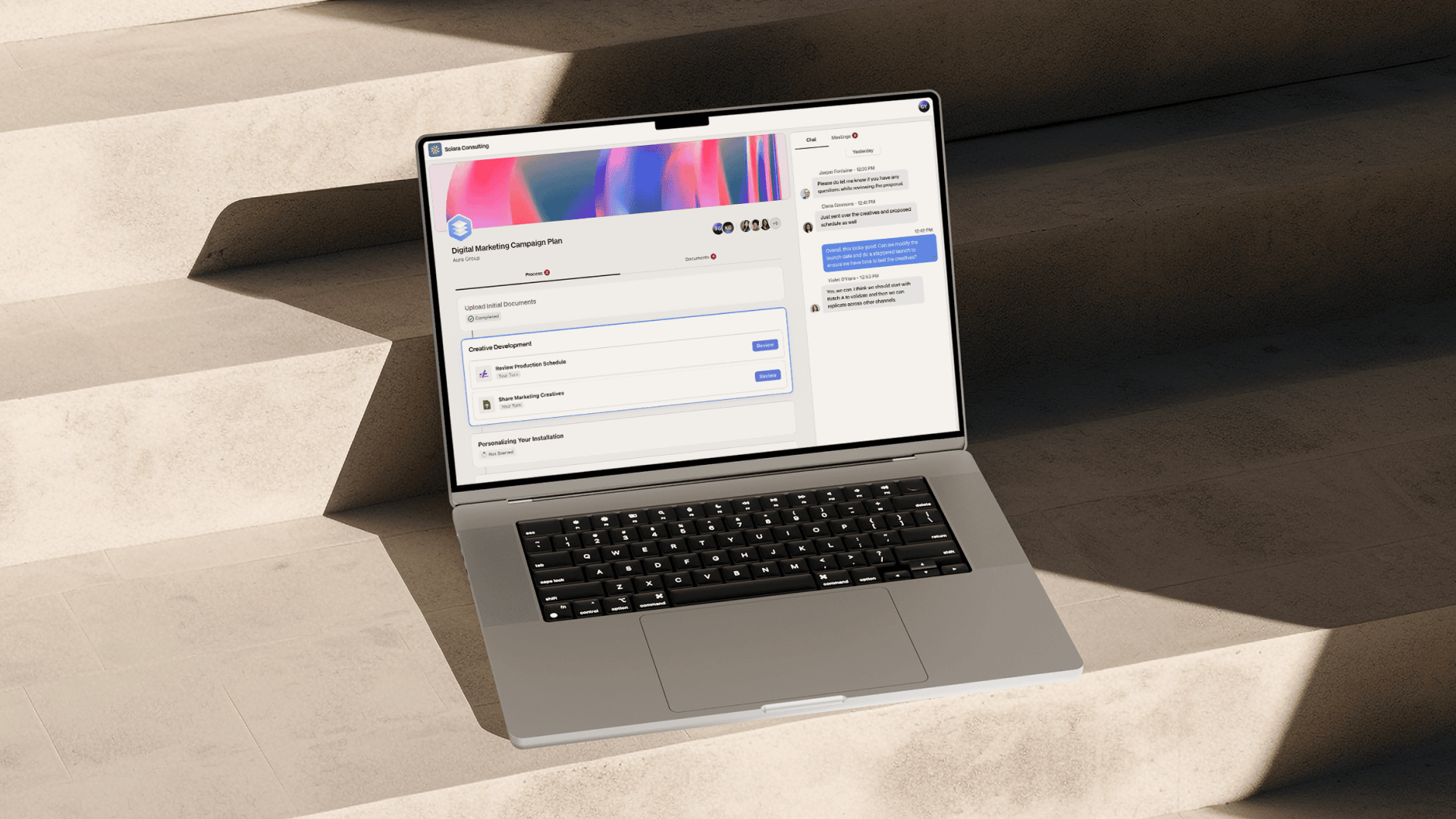
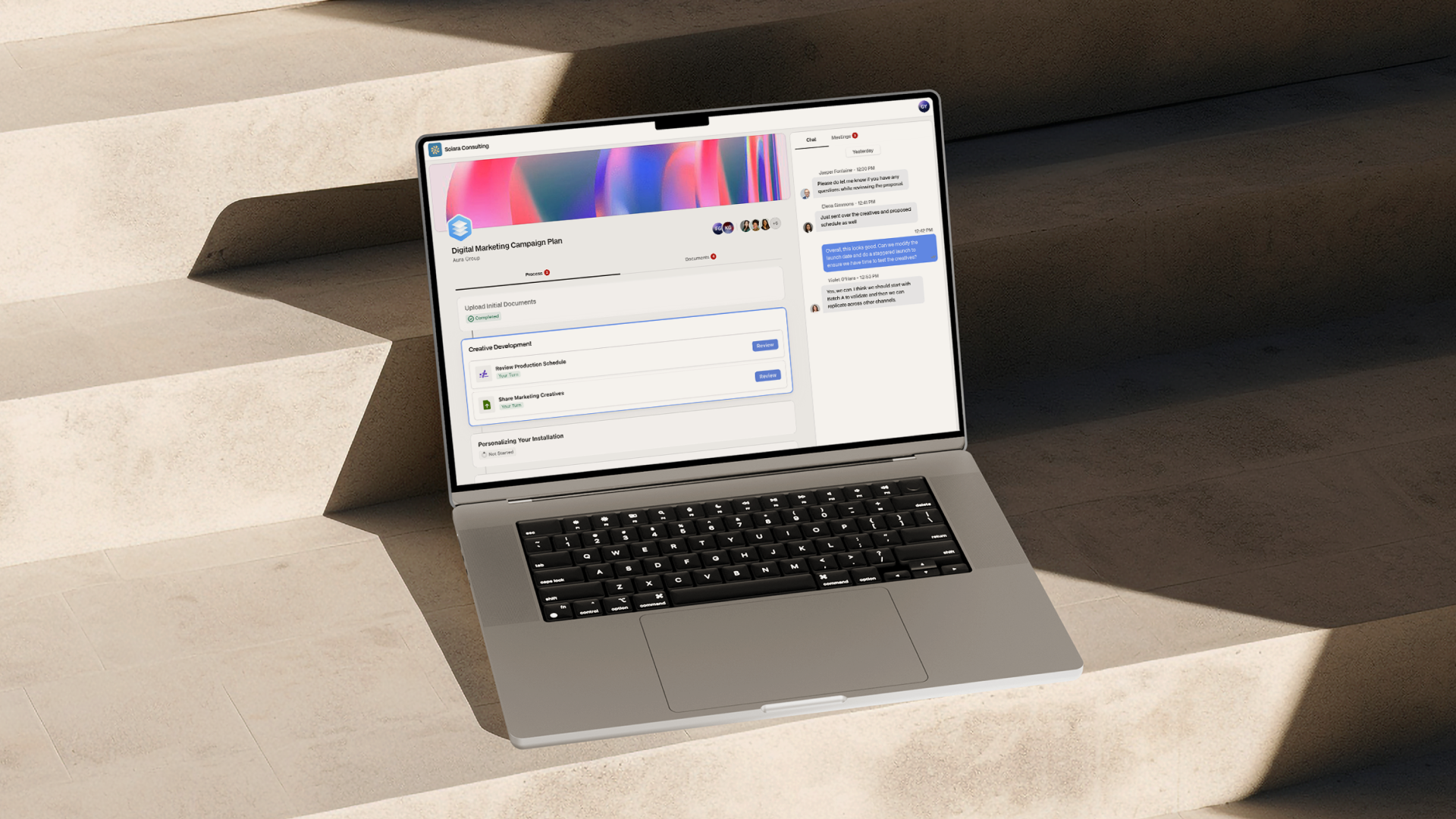
Moxo runs multi-party agency work, such as campaigns, creative reviews, and client onboarding, as structured processes shared by clients, agency teams, and outside collaborators. Responsibilities are explicit, handoffs are clear, and progress is visible without a chain of emails or Slack messages.
Why it works for marketing agencies
Structured approvals with clear ownership: Campaign drafts, creative assets, and content reviews move through defined approval steps, so teams know who acts next and what is blocking progress. That is the backbone of a working marketing approval workflow.
Less chasing: AI agents prepare materials, route requests, and follow up on overdue feedback, so account managers stop hunting for replies across threads.
Custom-branded experience: White-label the client-facing experience so every step carries your agency's brand. Our white label client portal comparison goes deeper on branding options.
Real results
A romance book marketing agency raised the number of clients each account manager handles by 30% after moving client onboarding, documents, and communications into Moxo.
Standout features for agencies
Repeatable processes: Define onboarding, creative review, and approval paths once, and every engagement follows them, with exceptions surfaced where the team can see them.
Connected tools: Clients and teams act from any device, while document storage and CRMs stay connected.
Limitations to consider
Overhead for very simple engagements: Lightweight projects with few approvals or handoffs may not need this much structure.
Process definition up front: Moxo works best when agencies are willing to define how work should flow.
Not a design tool: Moxo coordinates how assets move through review and delivery, while your team keeps its existing creative software.
2. Accelo
Accelo is PSA software for professional services firms, including agencies. It connects client management, project management, resourcing, time tracking, and project financials in one system, with a client workspace for clients. Its focus is internal delivery, utilization, and financials.
Why it works for marketing agencies
Client visibility: A client workspace gives clients their own view of the engagement.
Time tracking and billing: AI-assisted time tracking captures billable hours, and invoicing and payment alerts are automated.
Integrations: Connects with HubSpot, Salesforce, QuickBooks Online, Xero, and Google Workspace.
What stands out
All-in-one operations: Projects, resourcing, time, and financials sit in one operational system.
Retainer-friendly: Supports retainer, fixed fee, and hourly work, with retainer management.
Reporting: Dashboards show margin and profitability by project.
What to consider
Setup: Plan time to configure it around your services and billing.
Client rollout: Pilot the client workspace with one client before rolling it out.
More internal-focused: Most of the platform serves internal delivery and financials, so check what clients see.
3. Client Portal (WordPress plugin)
Client Portal is a WordPress plugin for creating simple client areas. Clients get a branded place for files, updates, and deliverables, with due dates, comment threads, and a way to mark items complete.
Why it works for marketing agencies
Low learning curve: It runs inside WordPress, so clients get real WordPress accounts on your site.
Branded and private: Host it on your domain to keep brand continuity.
What stands out
Full control: Keep data and branding entirely in house.
Simple structure: Templates and sections for files, due dates, and updates.
Best for small teams: Suits boutique agencies with a focused client list.
What to consider
Light automation: Automation centers on creating a portal when an order is paid, so check what else you need to automate.
Limited collaboration: Clients can discuss feedback in comment threads, but approval routing is not on its feature list.
Scalability: Test it against your most complex client workflow before you commit.
4. SuiteDash
SuiteDash is an all-in-one platform with CRM, project management, and client portals. It is white label throughout, and teams with multi-step approvals should test it on a real client workflow before committing.
Why it might work for very small agencies
White label: Brand the portal and client experience as your own.
Wide toolkit: CRM, projects and tasks, file exchange, secure messaging, and invoicing sit in one place.
What to consider carefully
Breadth over depth: It covers many functions, so check that the ones you rely on go as deep as your workflows need.
Scaling: Review how it handles growing approval chains and client volume before you commit.
5. Aproove
Aproove specializes in creative proofing and approval workflows, which suits agencies handling high volumes of creative assets. It focuses on the review process, with an audit trail for every approval.
Why it works for marketing agencies
Audit trail: Captures every approval, change, and comment with timestamps and approver identity.
Automated review cycles: Control versioning and structured approval routing.
Unified comments: Centralize feedback to prevent duplicates and confusion.
What stands out
Complex workflows: Handles detailed, multi-step review chains.
Industry fit: Serves marketing teams, creative agencies, and regulated industries such as insurance and pharma.
Enterprise scale: Supports high-volume campaign production.
What to consider
Limited scope: Primarily a proofing tool, not a complete client portal.
Other tools: Check whether you also need onboarding, messaging, and project management elsewhere.
6. Assembly (formerly Copilot)
Assembly is a CRM and branded client portal for firms. Clients can message your team, share files, sign contracts, and pay, and 30+ ready-made apps cover intake, onboarding, and proposals.
Why it works for marketing agencies
Modular setup: Turn on apps for messaging, files, contracts, forms, and invoices.
Built-in messaging: Keep conversations organized and secure in the portal.
What stands out
AI app builder: Start with ready-made apps, then use AI to build your own.
Brand control: Run the portal on your own branded domain.
What to consider
Connected apps: Test how well separate apps connect into one client process.
Automation: Check how much of each multi-step workflow runs without manual follow-up.
Approvals: Test multi-step approval chains on a real client workflow.
7. Monday.com (with client portal setup)
Monday.com is a work management platform. Clients join as guests on shareable boards, where they see only the boards they are invited to.
Why it works for marketing agencies
Visual boards: Show project stages clearly with timelines and dashboards.
Automation rules: Trigger reminders, approvals, and task assignments as work progresses.
What stands out
Template friendly: Clone portal patterns to onboard new clients quickly.
Ecosystem integrations: Connect Slack, Jira, Microsoft Teams, Google Calendar, and more, from 850+ integrations.
What to consider
Not client-focused: Guests work on shareable boards, so the client view is a board.
Permissions: Board owners set guest permissions board by board.
Board design: Keep shareable boards lean so clients can scan them.
Client portal vs project management tool with guest access
A project management tool with guest access lets clients see a board or a folder. That can work for a single campaign with a small client team.
A client portal is built for the client's side of the work. Clients get a branded place to review work, leave comments, approve, and send files, without living inside your internal board.
Guest access often still treats the client as a visitor on your team's tool. When work scales across accounts, that gap shows up as missed comments and delayed approvals.
Which portal for your type of agency
SEO and PPC: You need a place clients can open reports, ask questions, and sign off on a monthly plan without a new email thread.
Social and content: Speed matters. The portal should collect comments and approvals on drafts while the window to post is still open.
Creative and web: Proofing is the core job. Clients should mark up files, see version history, and approve the final asset in one place.
Getting clients to use the portal
A portal only works if clients open it. Send a no-login or magic link for the first visit so they can comment or approve without creating an account.
Do not leave email as a backdoor for the same files and comments. If the official record lives in two places, the portal will sit empty.
Reporting clients can open themselves
Some agencies also let clients open campaign reports inside the portal. If reporting is part of your retainer, check whether the portal can show results next to the work, alongside any slide deck you email later.
Why Moxo is purpose-built for agency success
Most platforms on this list solve one part of agency work. Some manage projects, some collect approvals, and others add branding. Moxo combines them through human-AI orchestration designed around agency business operations, so the portal a client sees sits on a process that keeps moving.
Agents carry the chasing: AI agents prepare assets for review, check that briefs are complete, and nudge clients when feedback is overdue.
People keep the calls: Account leads and creative directors approve, push back, or escalate, and each decision is recorded with its context.
Built in plain language: Describe your onboarding or review process, or upload your current SOP, and you get a reusable Moxo flow back. Our guide to workflow automation in client project management shows how that plays out.
Branded for your agency: Clients click a magic link to reach their steps, no login needed, inside a client workspace carrying your logo and colors.
Who it isn't for: freelancers working alone, self-serve small shops, and agencies whose projects have almost no approvals or handoffs.
See how one of your client engagements would run in Moxo, from intake to final sign-off, with agents handling the follow-ups. Book a demo
Choose a portal that matches your agency's ambitions
Clients expect fast turnarounds and a polished experience. You can't deliver that consistently when feedback is scattered across inboxes and approvals depend on phone tag. Pick the platform that matches how complex your client work is. If you are still mapping how delivery runs, start with our guide to the digital marketing workflow process.
If most of your delays sit in reviews and handoffs, shortlist a process-led portal. If clients mainly need files and updates, a lighter portal will do.
Put your busiest retainer client's work into Moxo for a month and compare it with last month's. Request free trial
FAQs
What is the best client portal for marketing agencies?
The best portal depends on your size, workflow complexity, and growth plans. Moxo suits agencies whose client work runs through multi-step approvals, because it combines automation, creative feedback, and branding control. SuiteDash, Assembly, and Aproove serve narrower needs, so test each against your own workflow.
Can I customize Moxo to match my agency's branding?
Yes. Moxo offers white-labeling, including custom domains, logos, brand colors, and portal visuals. Your clients see your brand identity at every touchpoint, so the experience feels like part of your agency.
How does Moxo handle creative feedback and approvals better than other platforms?
Clients comment directly on designs, videos, and documents. You can set up multi-step approval workflows, track status in real time, and send automated reminders, while version history keeps feedback organized and tied to the right file.
Does Moxo integrate with my existing agency tools?
Yes. Moxo integrates with CRMs, Google Drive, Dropbox, and other common platforms. Developers can also use the APIs, webhooks, and MCP to connect the other tools your agency relies on.
What's the real difference between Moxo and project management tools like Monday.com or Accelo?
Moxo is the human-AI orchestration platform for business operations teams. Monday.com and Accelo are strong for internal project management, while Moxo runs the client-facing side of agency work, including onboarding, feedback, and approvals, as shared processes that cut back-and-forth.
What is a client portal for marketing agencies?
A client portal is a shared workspace where agencies and clients exchange files, messages, approvals, and updates. Its purpose is to reduce scattered communication and improve visibility into ongoing work, so clients know what they owe and what comes next.
Why do client portals fail at scale?
Most portals centralize information but don't structure execution. As work grows more complex, teams still rely on manual follow-ups, side emails, and tribal knowledge to move projects forward, which is where deadlines start slipping.
Are client portals the same as workflow tools?
No. Portals focus on access and communication, while workflow tools define ownership, sequencing, and accountability across multi-step processes. The strongest agency setups combine both, so clients act inside a portal while the process behind it keeps work moving.