Data operations manager
Database administrator
Data governance lead
IT operations manager
Business systems analyst
Master data manager

When external data needs to be loaded into enterprise systems. When data migrations require controlled import processes. When third-party data integrations need governance. When bulk data updates require review before loading. Ideal for enterprises with data governance programs, organizations managing master data, and any company integrating external data sources.
Data providers submit data for import. Data analysts validate data quality and format. System owners authorize imports to their systems. Data governance reviews compliance with data standards. IT operations execute approved imports.
Data quality protection preventing bad data from entering systems Controlled data loading with appropriate authorization before import Format and standard compliance ensuring imported data meets requirements Traceable import history documenting all data loads for audit
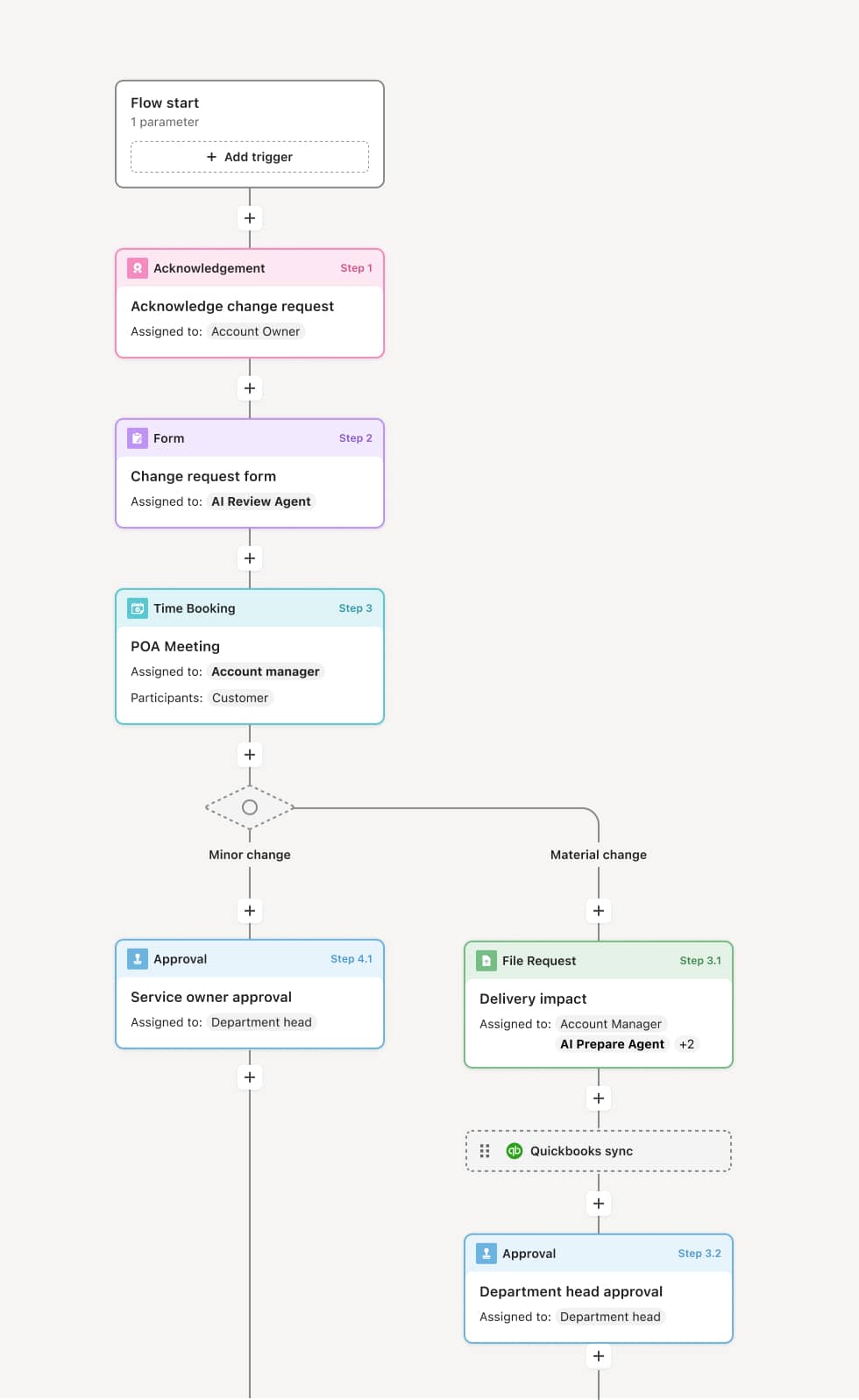
Your version of this process may vary based on roles, systems, data, and approval paths. Moxo's flow builder can be configured with AI agents, conditional branching, dynamic data references, and sophisticated logic to match how your organization runs this workflow. The steps below illustrate one example.
Import request submission
The process begins when a data import request is submitted with the data file, source documentation, target system, and business justification. AI agents may perform initial format validation and identify obvious quality issues.
Data quality validation
Data analysts review the import data for quality, completeness, and format compliance. They check for duplicates, invalid values, and consistency with existing data. Issues are documented and returned for correction.
Business and governance review
Business stakeholders confirm the data is appropriate for import. Data governance reviews compliance with data standards, retention policies, and any regulatory requirements. Sensitive data imports may require additional authorization.
System owner authorization
The owner of the target system authorizes the import, confirming system readiness and acceptance of the data. They may set conditions such as timing windows or backup requirements.
Import execution and verification
The approved import is executed according to specified parameters. Post-import validation confirms successful loading. The complete import record, including source files and validation results, is preserved.
This process relies on import files, source documentation, data quality rules, and system specifications. Triggers include import requests, scheduled data loads, or integration events. Integration with data quality tools, ETL platforms, and target systems like Salesforce, SAP, or data warehouses supports controlled imports.
Key decision points include determining whether the data meets quality standards, whether governance requirements are satisfied, and whether the target system is prepared for the import.
Bad data imported without validation corrupting systems. Duplicate records created by uncontrolled imports. Import failures not detected causing data gaps. Imports executed without proper authorization.
Orchestrates import review across data teams, governance, and system owners with structured validation
AI agents perform automated quality checks before human review
Coordinates multi-stakeholder authorization for controlled data loading
Maintains complete import records for audit and troubleshooting